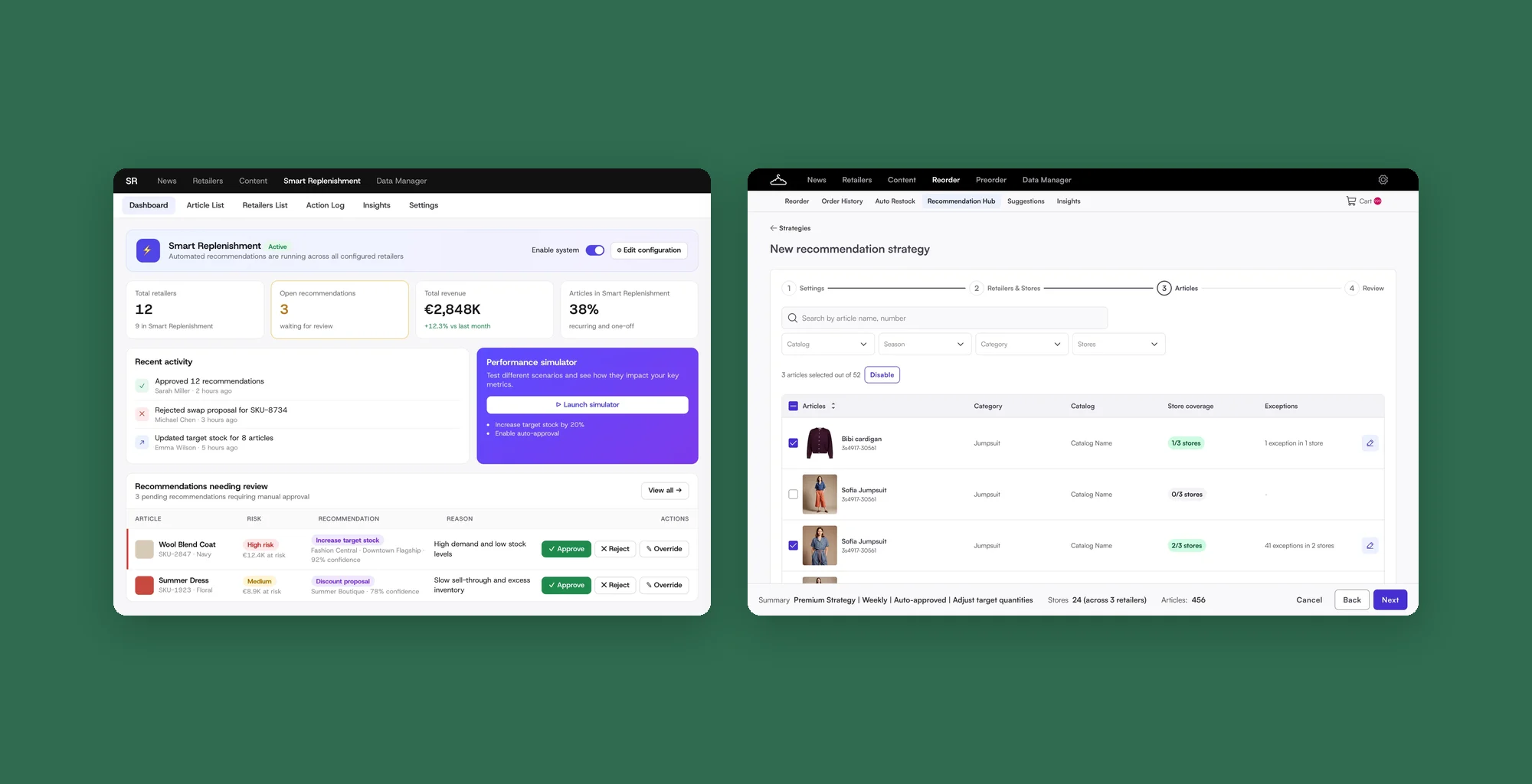
Case study 01 · Fashion Cloud · Design system
Making the design system work for the team
I led the rebuild of Fashion Cloud's design system: reusable components, clear rules and one shared process, so teams build with less guesswork.
- Role
- Lead product designer
- Team
- Me, 2 designers, engineering, then the Platform team
- Timeline
- 2025 to 2026
- Status
- Live, owned by the Platform team since January 2026
- Inputs / Border / Default
- Button / Primary / Background
- Text / Darker
- 1

Search - 2
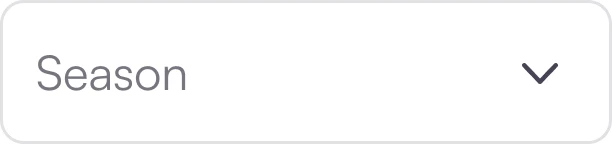
Select - 3

Toggle switch
 1
2
3
1
2
3
One shared system for Figma and code. Teams build new features from finished, documented parts, with less guesswork and less back-and-forth.
Components in code, documented in Storybook
Component sets rebuilt in Figma
New features built with the new UI
Fashion Cloud's design system, rebuilt so Figma and code describe the same components.
- Led the component approach and the rules between Figma and code
- Set one process for every component, from Figma page to Storybook
- Designed foundations, tokens and components with 2 designers
- Made it a team OKR with my manager to get engineering time
- Worked with engineering, then handed the code to the Platform team
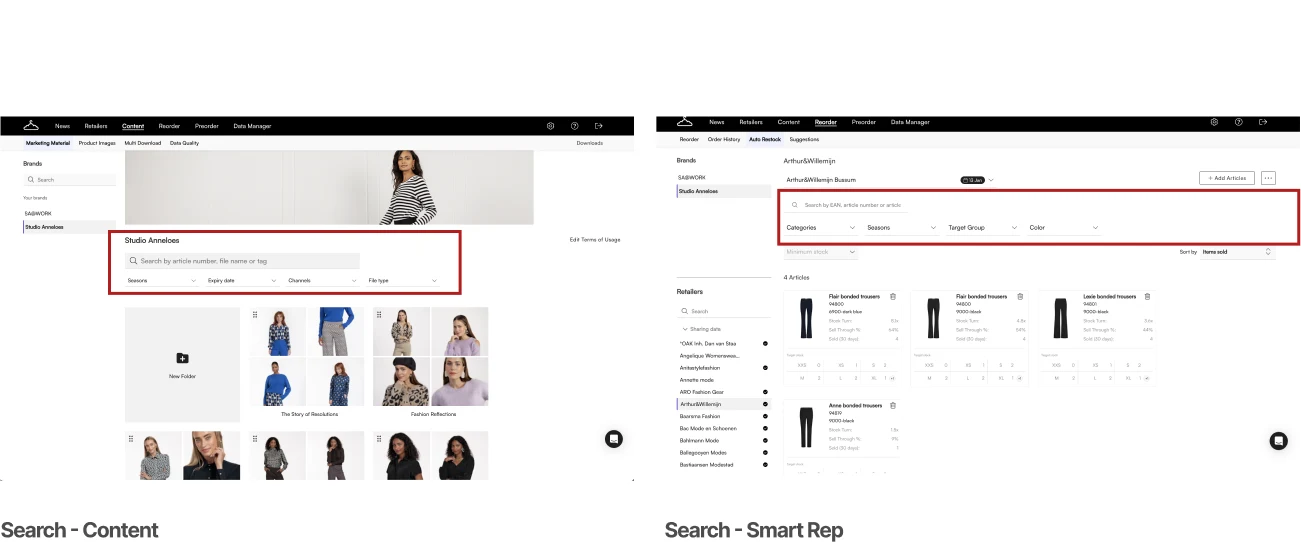
The same UI problems were solved in different ways
Every new feature reopened decisions the system should have made.
- Duplicated components. Several components for one job.
- Figma and code didn't match. Different names and properties.
- Gaps filled by hand. Thin docs, hardcoded UI.
From a side project to a maintained library
Not interested in my design process? No worries at all. Skip to the result.
Figma, code and the product didn't agree
Two workshops and an audit.
- Developer workshop
~40 components in Figma, ~90 in code. Lots of hardcoded UI.
Fix it in code, not only in Figma. - Audit
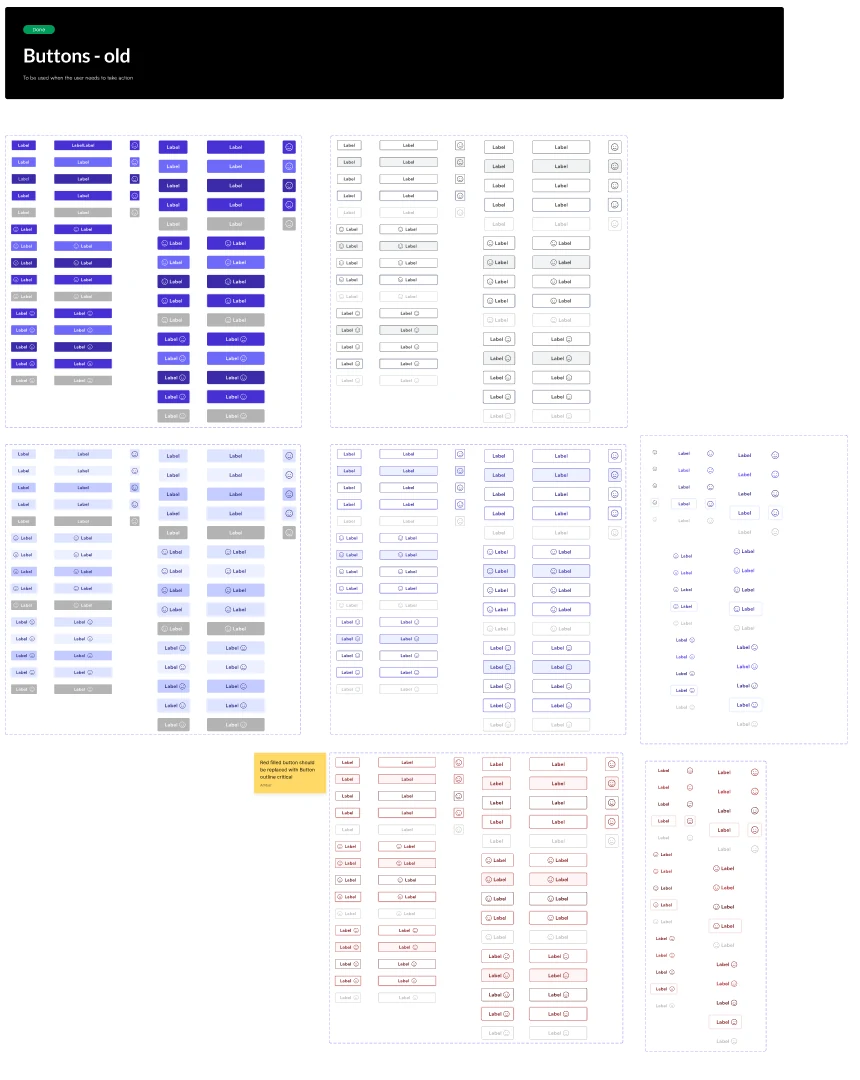
4 dropdowns, 7 button sets. Every variation its own component.
One component per job. Variations become properties. - Designer workshop
Unnamed tokens. Unclear which colour to use when. Old docs.
Name tokens by purpose. Document before building.
All designer workshop notes
Creating components
Too many variablesNot all components follow the atomic approachMost components are builtStructure
Duplication of similar componentsLack of key pages in the systemComponent groups on separate pagesFoundations
Foundations are incompleteMissing token namesColours unclear when to useUpdating
Need a better way to review componentsBranchingSlack for reviewsAudit
No auditDocumentation
Takes a lot of time to writeSome is out of dateHard to see all component statesPink: doesn't work. Green: works.
Build on a library, not from scratch
We didn't have the engineering time to build everything. PrimeNG for standard parts, custom work only where the product needs it.
Three libraries, one fit
- Design needed
- Our own look: colours, type, spacing, icons
- Engineering needed
- Angular, easy theming, enough components, Storybook
- Not flexible enough
- Rigid UI
- No custom icons
- Biggest set of components for our data-heavy B2B product
- Themeable with our own tokens
One component per job, with properties for the differences
Not merging for its own sake. One rule about behaviour and structure, checked for every component.
Same job, same component
- IfSame job, same behaviour, same structureOne shared component
- IfA real difference in size, state or label styleA property on that component
- IfThe behaviour is differentIts own component, documented next to it
Four dropdowns became two
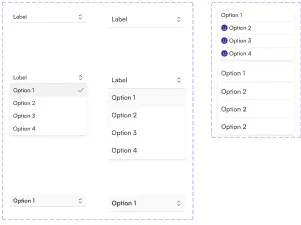
Single select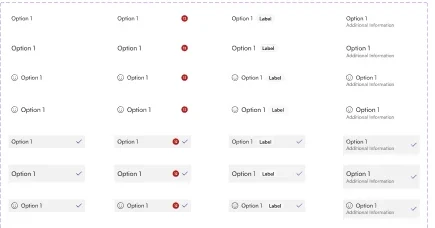
Multi select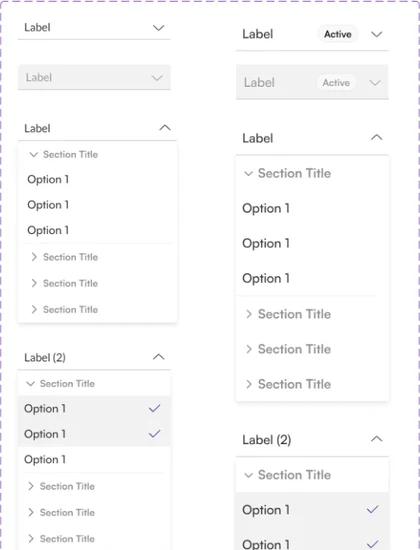
Tree select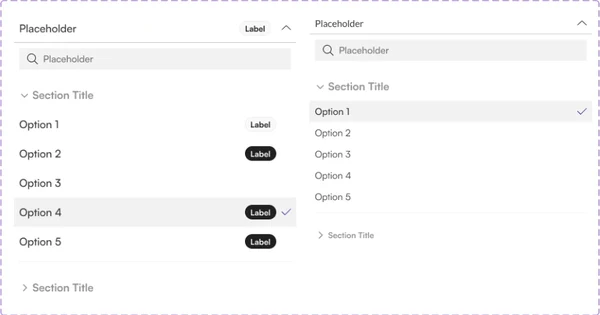
Tree select with badge
Select
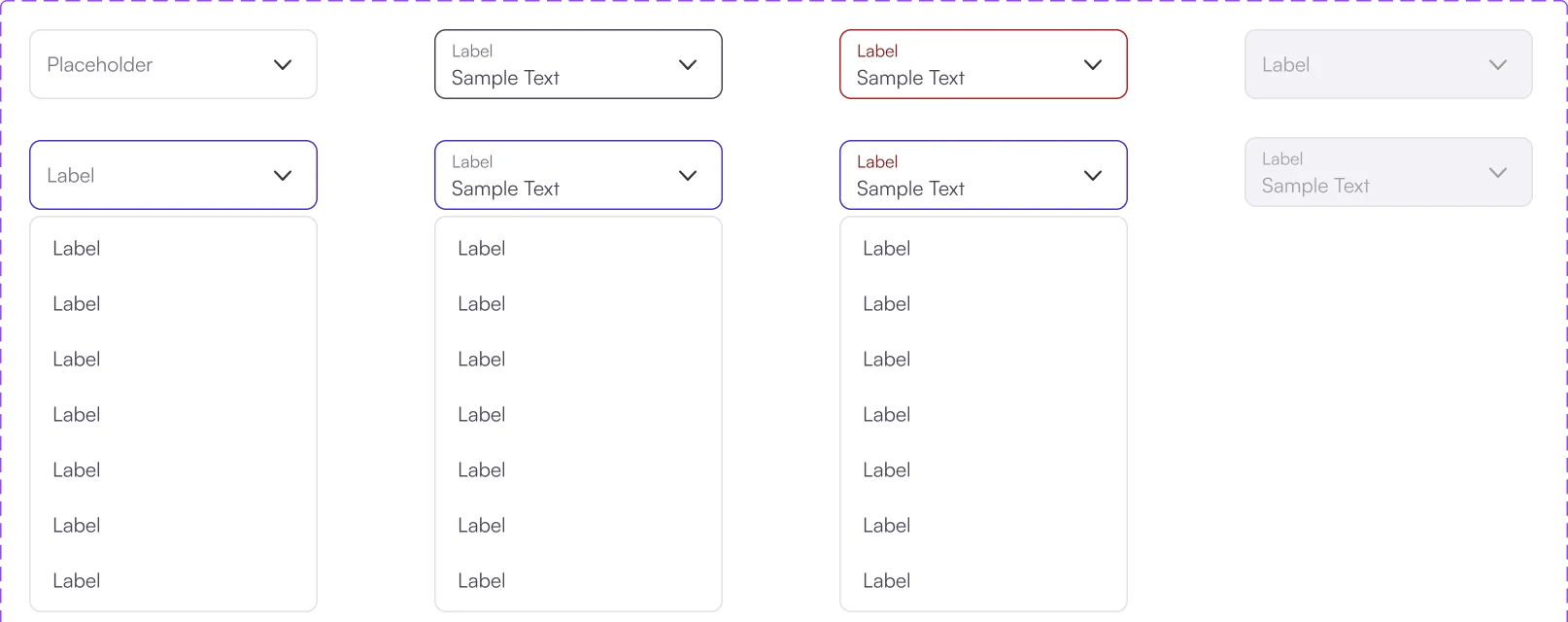
- Replaces
- Single select, Multi select
Tree Select
- Replaces
- Tree select, Tree select with badge
Multi select and the badge are now settings, not separate components.
Built from smaller parts
Atoms make an option, options make the panel, input and panel make the Select.
Select/Option
Select panel
Select
Season⌄
35+ component sets were rebuilt this way.
Tokens carry each decision from Figma to code
Components never use a raw colour. Every value goes primitive → semantic → component.
One token chain, three layers
#4630D2
buttonComponent-
primaryType-
defaultState-
backgroundAttribute
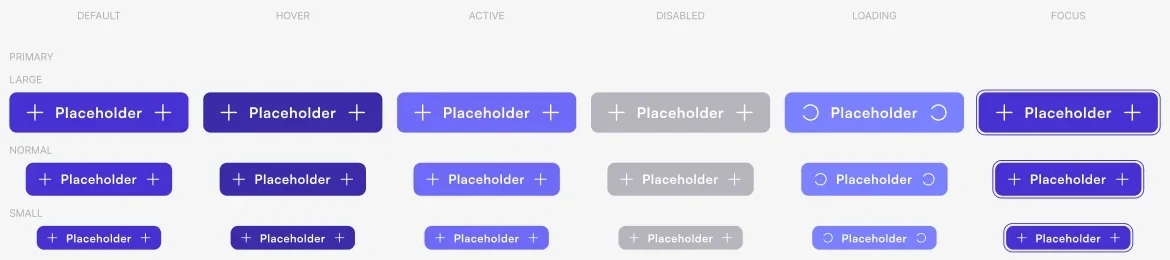
Also: 22 primitive and 44 semantic sizes, 19 type tokens.
Foundations: colour, spacing, radius and type
- BackgroundPage, article card
- BorderGeneral strokes
- TextParagraphs, headings
- FormsInputs, dropdowns, accordion
- LinksText links
- ButtonEvery button type
- StatusBadges, tags
- MessageMessages, toasts
The same name in Figma and in Storybook
A reviewed Figma page first. Then a themed PrimeNG wrapper in Storybook, with the same name and properties.
Same name, same properties
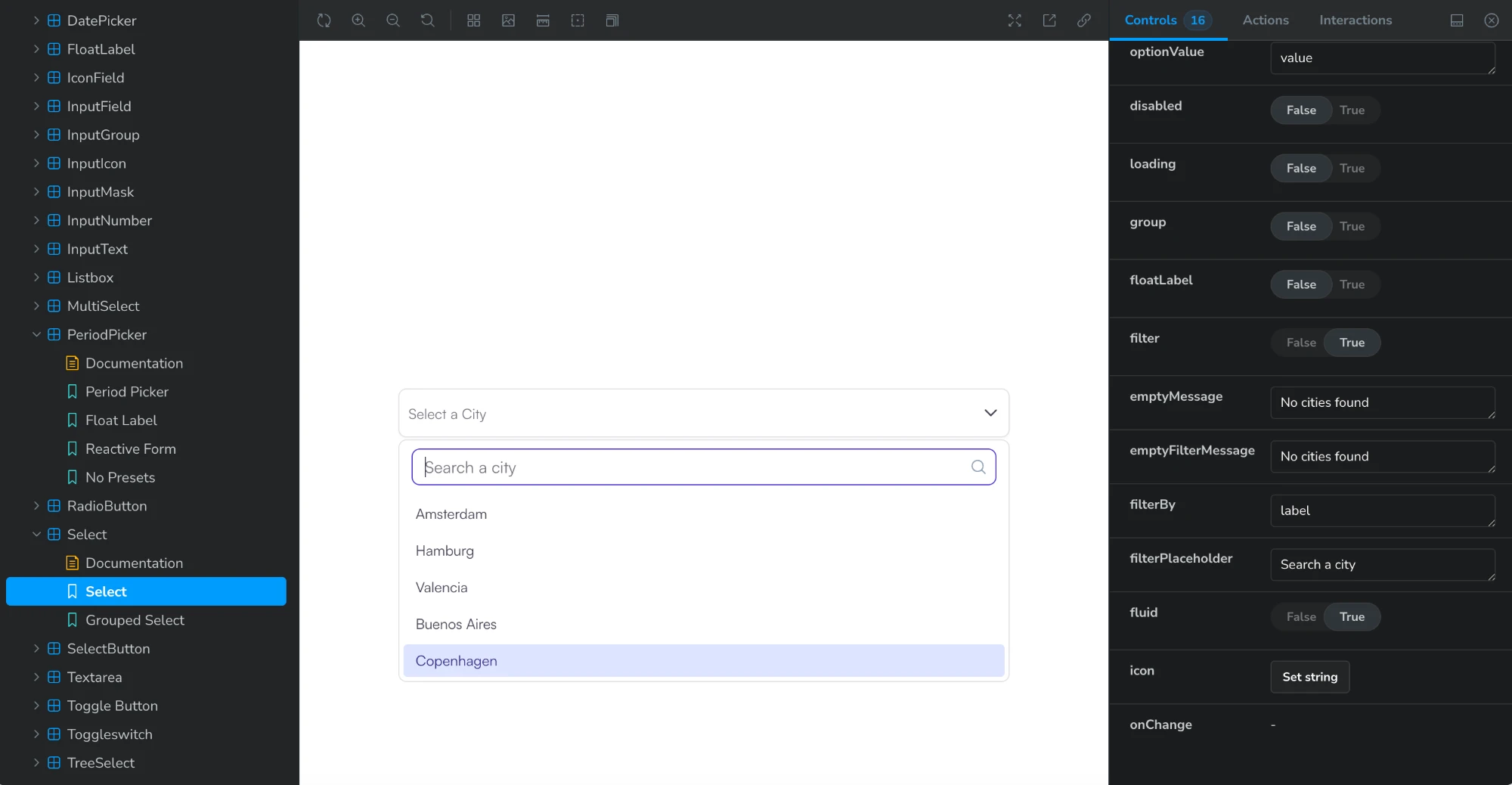
- Name
- Select
- Select · Grouped Select
- Label
TypeFloat Label / BasicfloatLabelTrue / False- Search
PanelWith searchfilterTrue, withfilterPlaceholder- Disabled
StateDisableddisabledTrue / False
One page template for every component
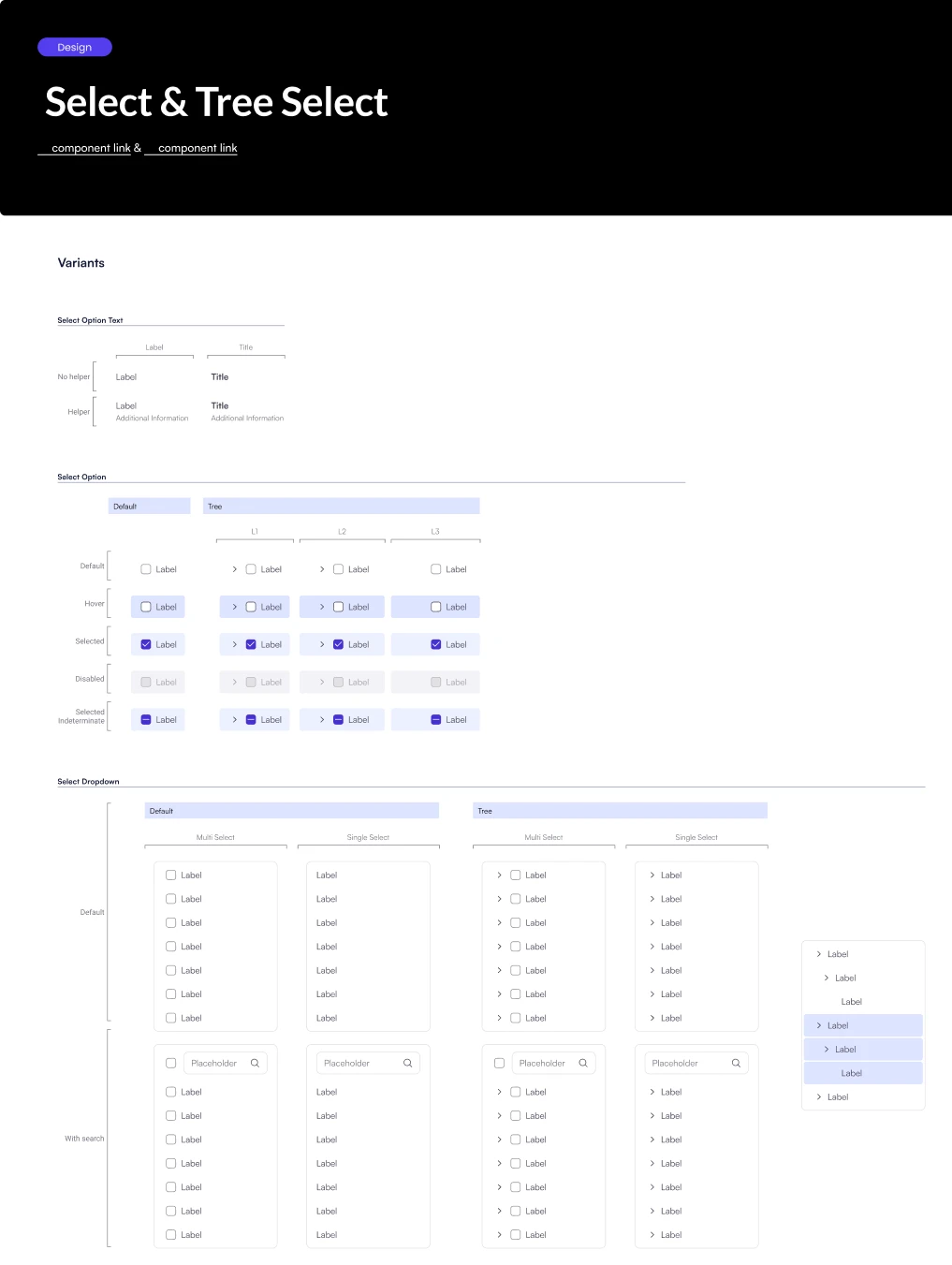
Every variant shown and labelled. One reference for design and engineering.
- LinksTo each component in code
- OptionDefault, hover, selected, disabled, indeterminate
- DropdownSingle, multi, tree, with search
Reviewed and marked "Ready for development" before handover.
A plan without engineering time stays in Figma
With my manager, I made it a team OKR to get developer time.
How the commitment grew
- 2025Side project
Workshops, audit, first components.
- May 2025Team OKR and the ask
Vision, cost of today, plan, and a small ask: 3 developers.
- CooldownFirst wrappers
First PrimeNG wrappers.
- SprintA dedicated sprint
A full sprint for the library.
- AgreementDefault for new features
New UI for every new feature.
- January 2026An owner
Platform team maintains the code.
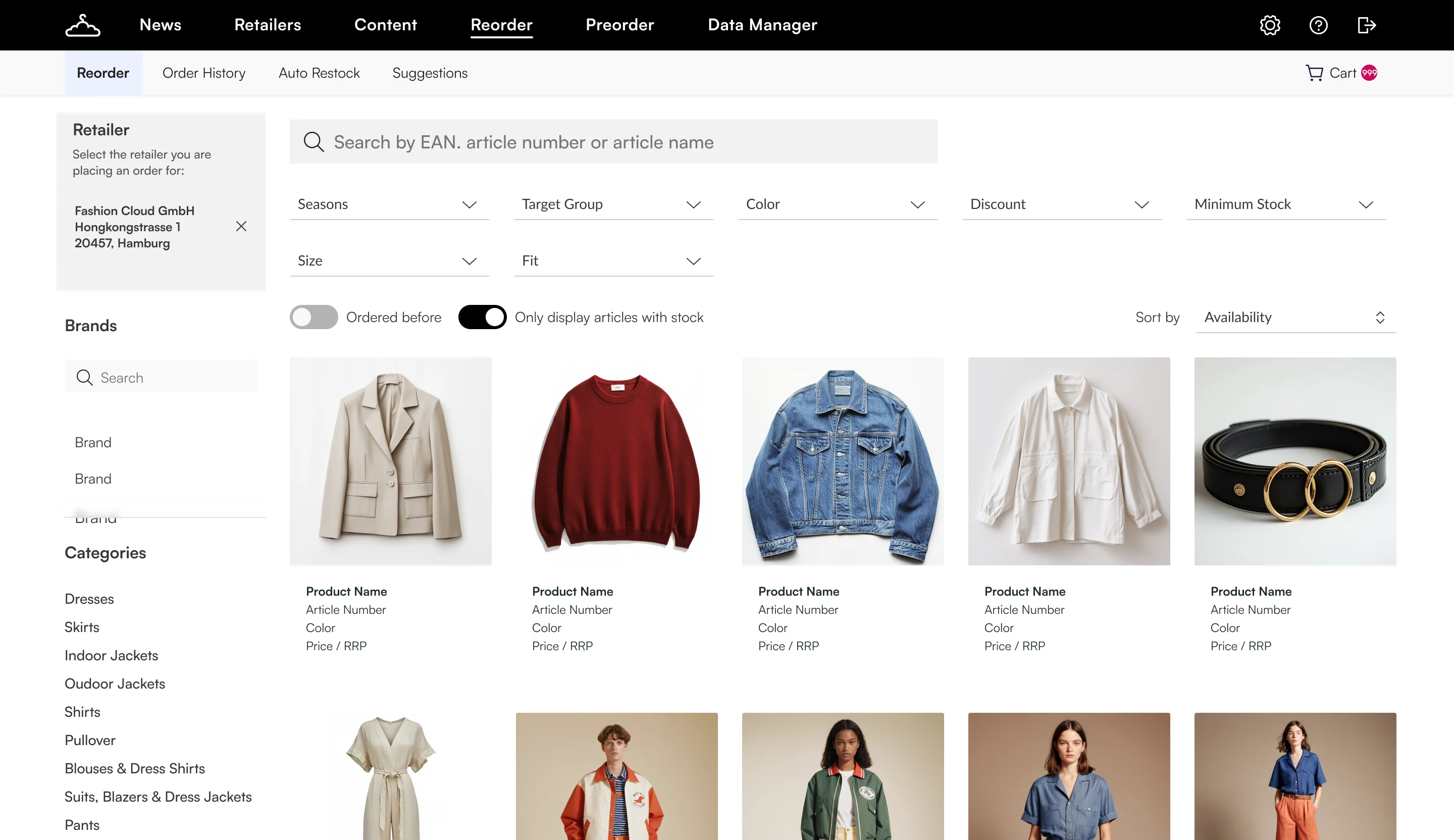
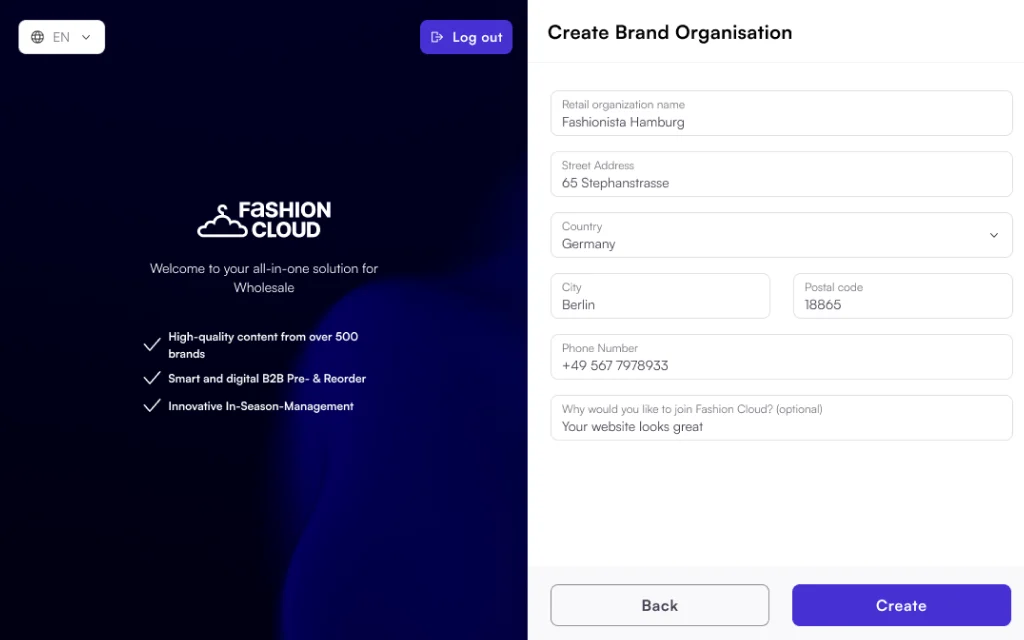
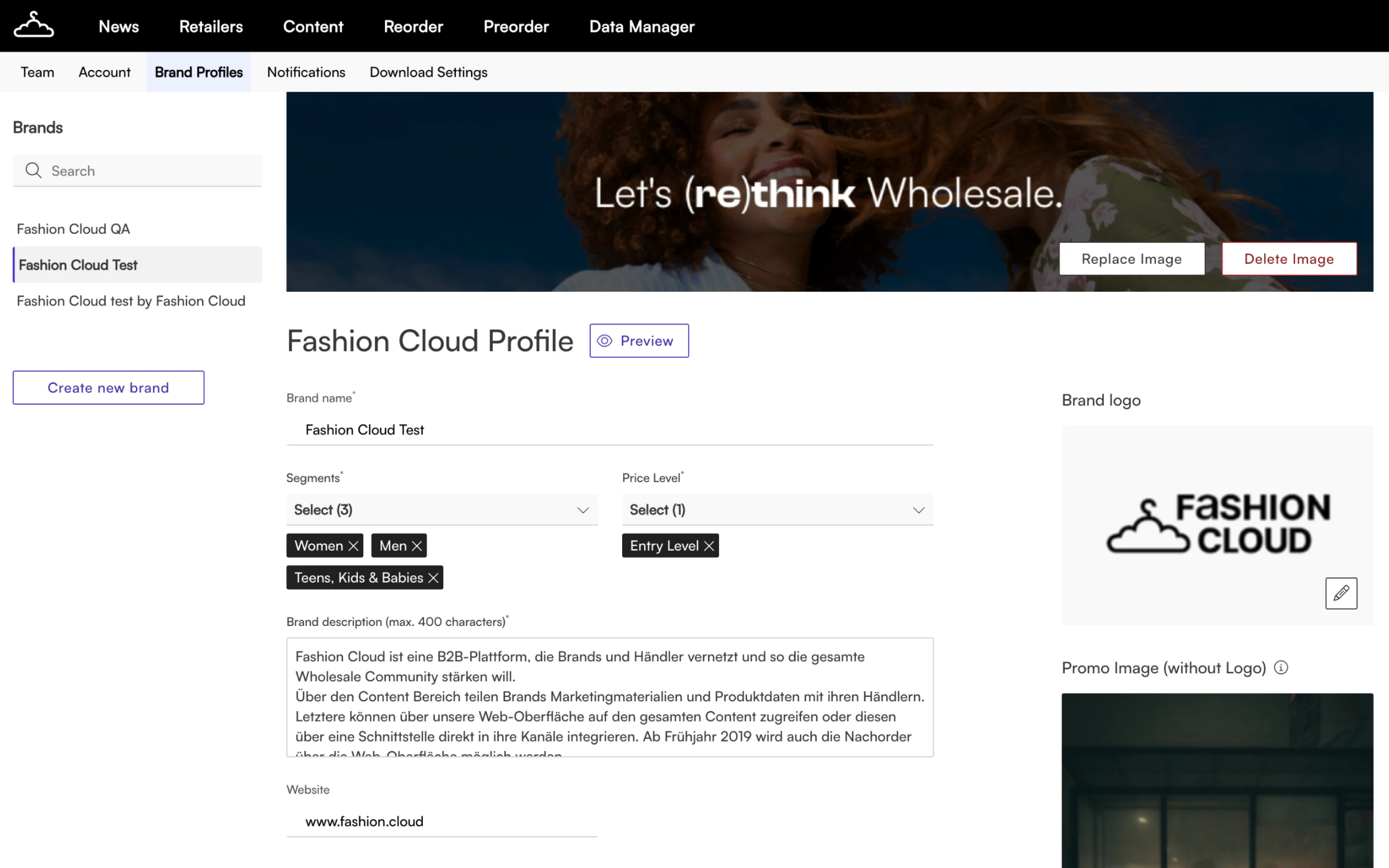
Feature pages built from the same parts
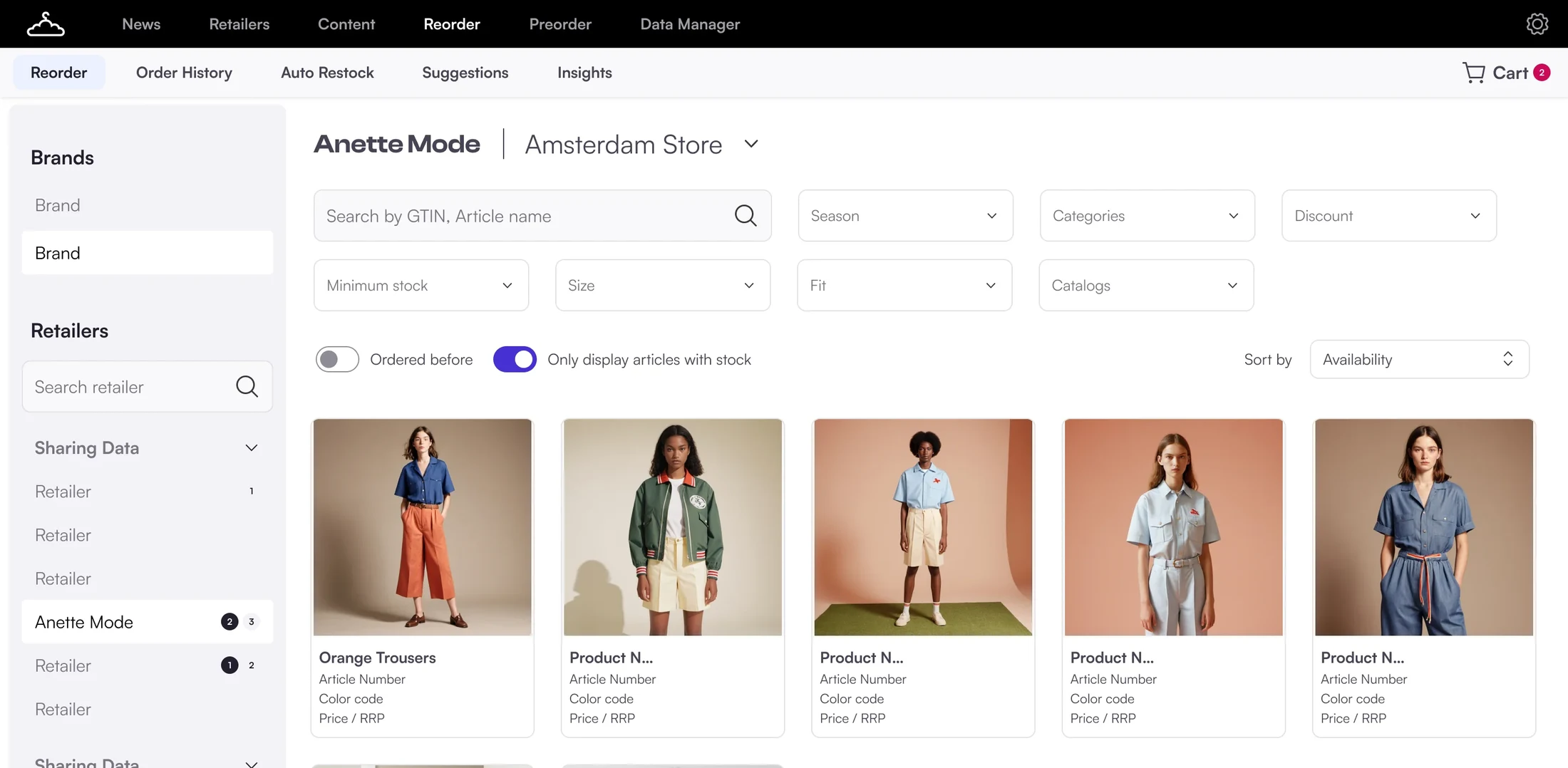
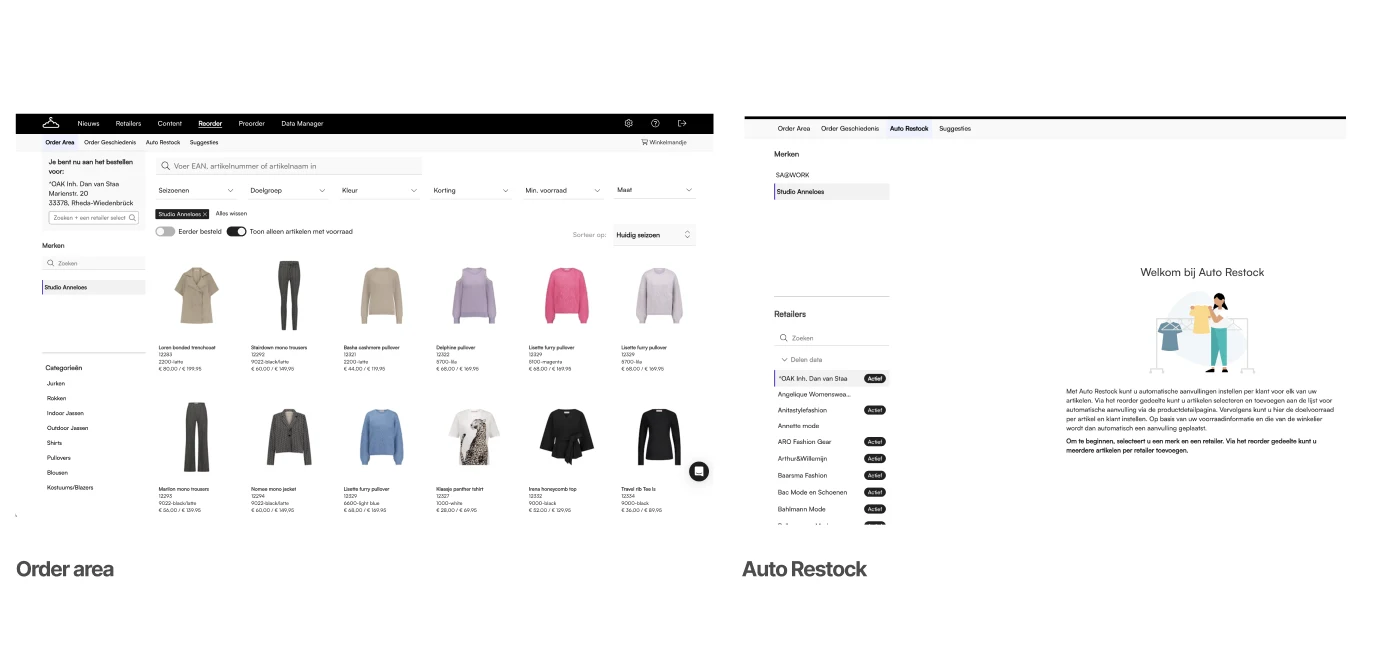
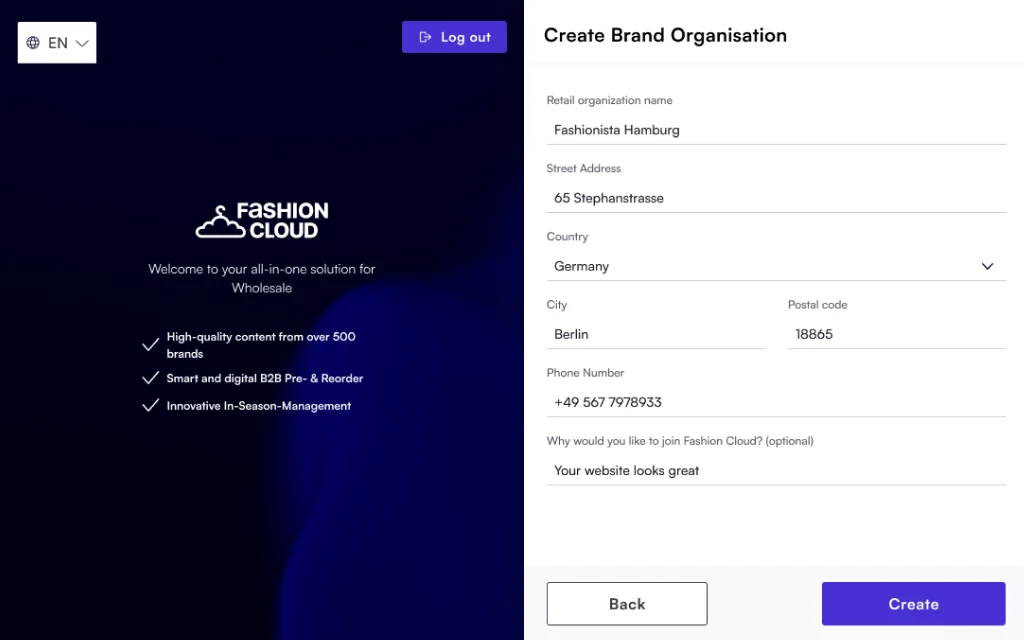
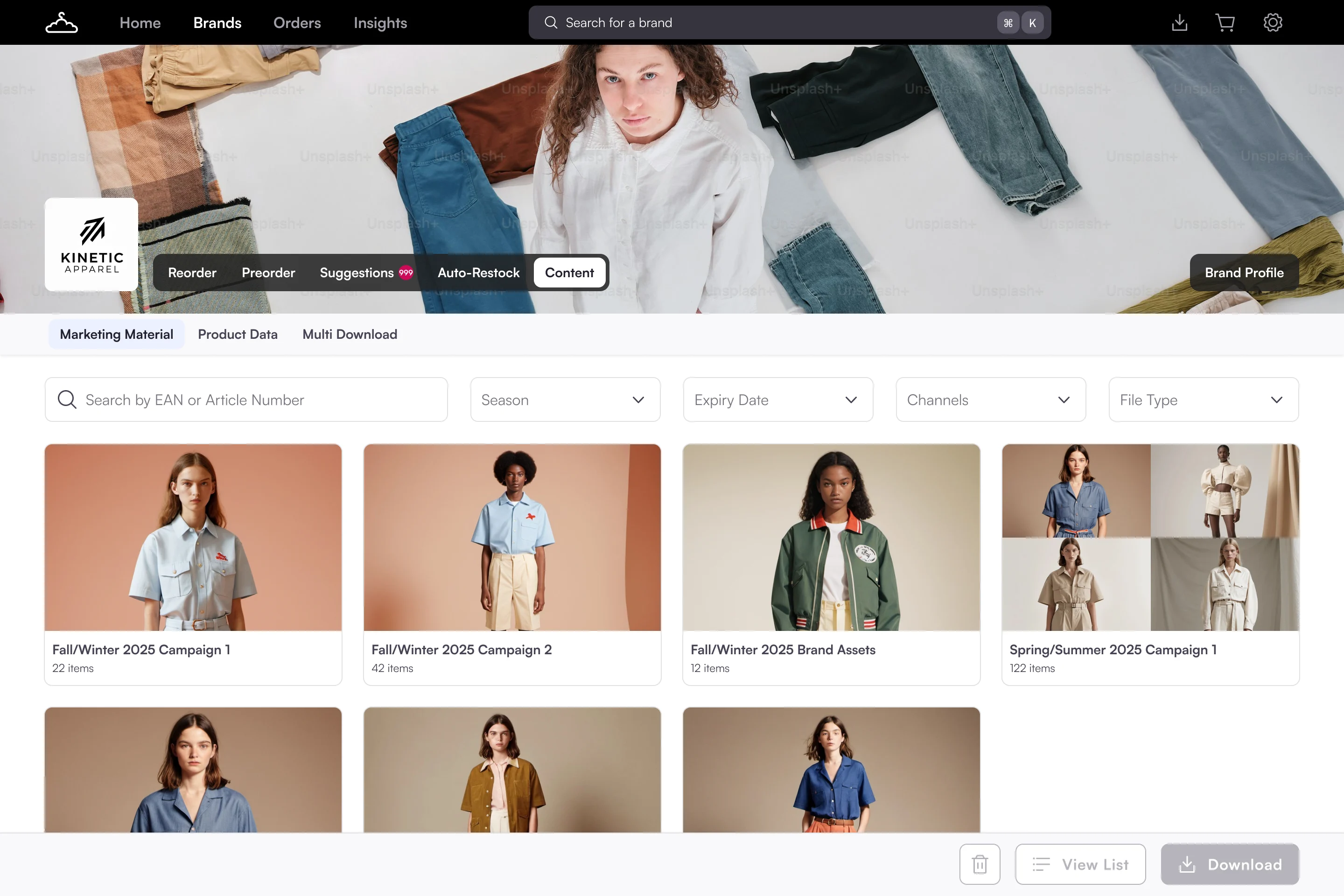
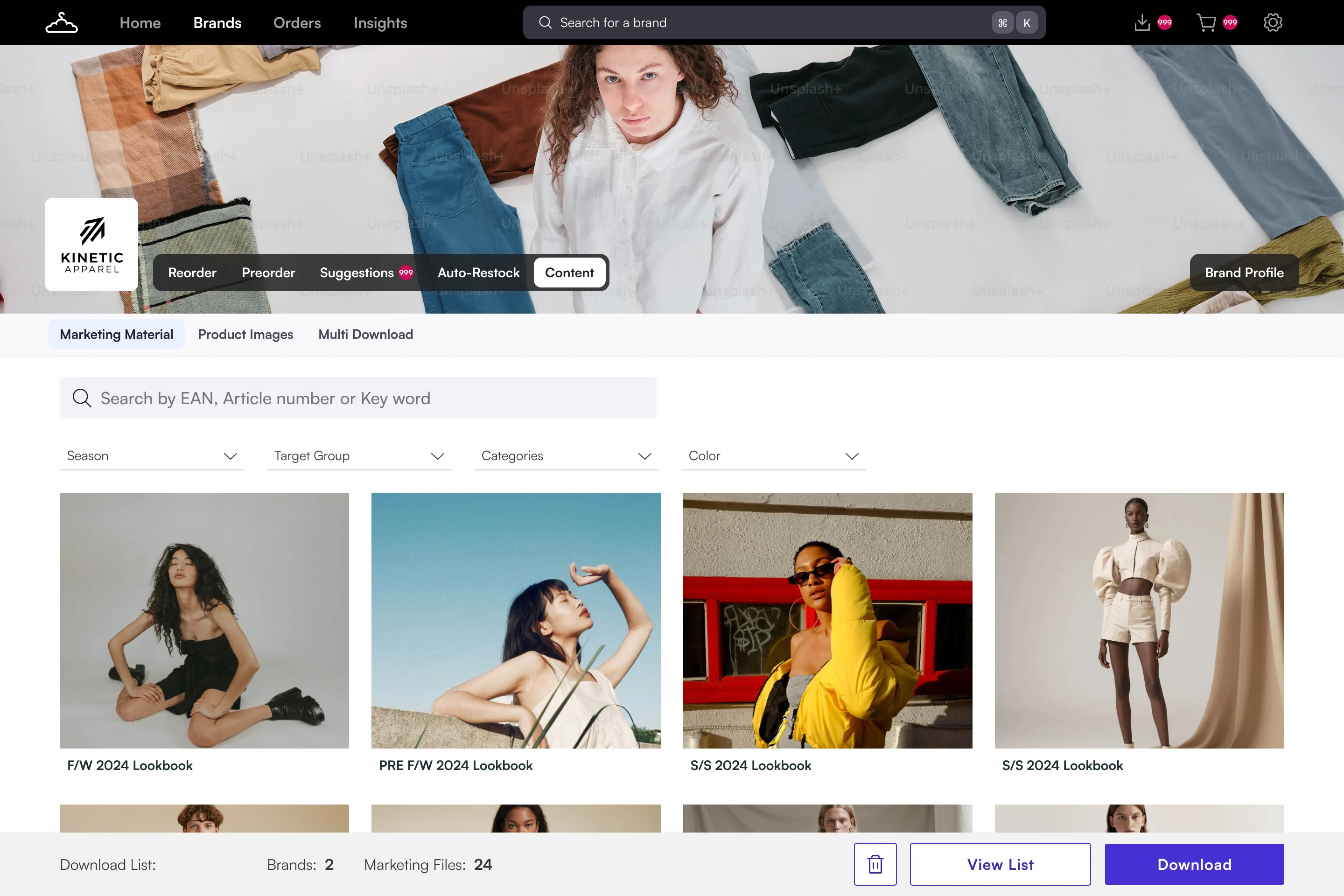
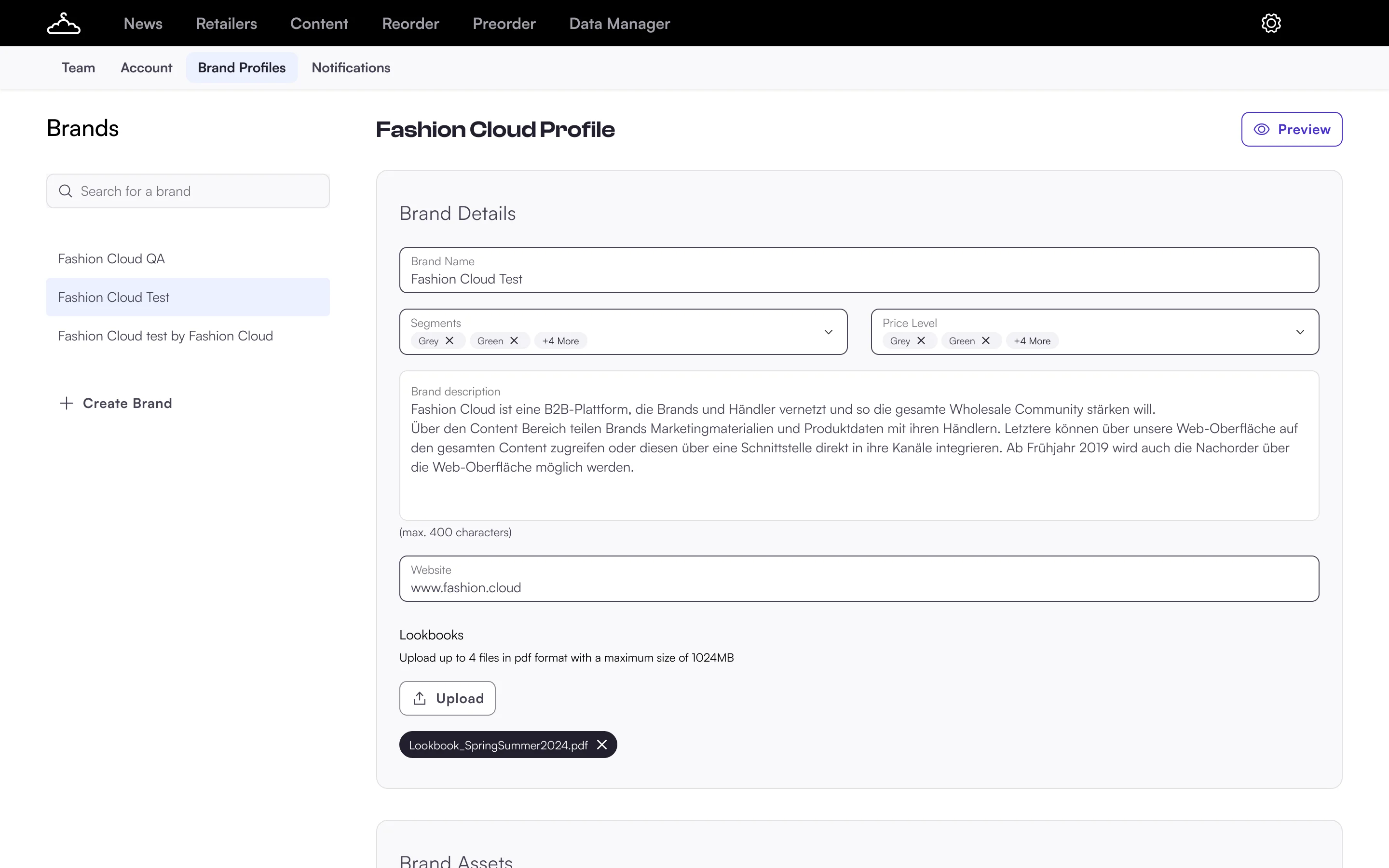
Every new feature is built with the new UI. Drag to compare.
Reorder page

Create organisation form
Marketing material
Brand profiles
What the team said
We don’t have to reinvent the wheel every time we build a new feature. The patterns are already there, so we can focus on solving the actual problem.
DesignerFewer back-and-forth questions during development. The specs answer them before we ask.
Engineering leadWhen I demo to brands, the product feels consistent and professional, which builds trust.
SalesMore intentional and cohesive.
Product manager
The hard part was never the design
Getting engineering time and adoption was. Four calls, each with a cost.
| Decision | Context | What we did | Gave up | Got |
|---|---|---|---|---|
| A third-party library | No engineering time to build and maintain standard components. | Theme PrimeNG with our tokens. Custom work only where the product needs it. | Full control, and some visual freedom. | Standard parts we didn't build. Design and code stay close. |
| A team OKR | Side projects don't get engineering time. OKRs do. | Made it a team goal, with my manager. | Speed. Securing commitment took several rounds of alignment. | A cooldown, a sprint and a PM agreement. |
| New features first | No team for a big migration. | Build every new feature with the new UI. | Old and new UI side by side for a while. | New components reach the product feature by feature, so users adjust gradually instead of waiting for one big switch. |
| Platform owns the code | A library without an owner in code drifts again. | Handed the code library to the Platform team. | It stays maintained without depending on me. |
- The grid in code
- Older pages still on the old UI
- Making the system readable for AI tools
- Plan the rollout per product area. From day one, not only for new features.
- Agree ownership at the start, so Figma and code don't drift apart.
From fragmented tools to a shared vision for Smart Replenishment
Read case study