Case study 02 · Fashion Cloud · B2B replenishment
From fragmented tools to a shared vision for Smart Replenishment
How I aligned the team around a product direction, turned it into a phased roadmap, and designed the first workflows to bring recurring recommendations out of spreadsheets and into the product.
- Role
- Lead product designer
- Team
- PM, PO, PSMs, Data Science, Engineering
- Timeline
- March to October 2026
- Status
- Vision aligned internally and validated with brands.
Phase 1 in development, Phase 2 in discovery.
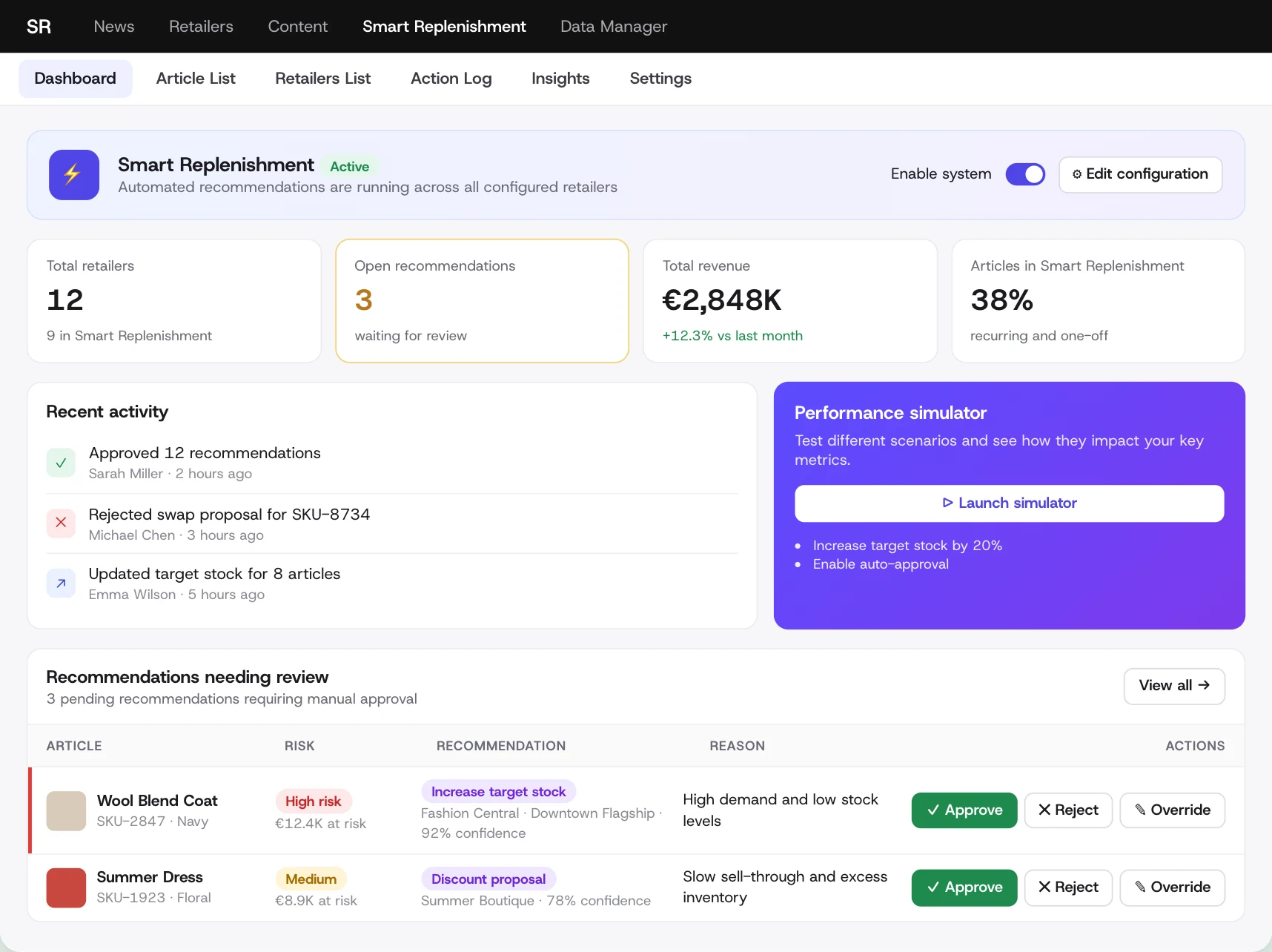
Where it's going: one cockpit for every recommendation.
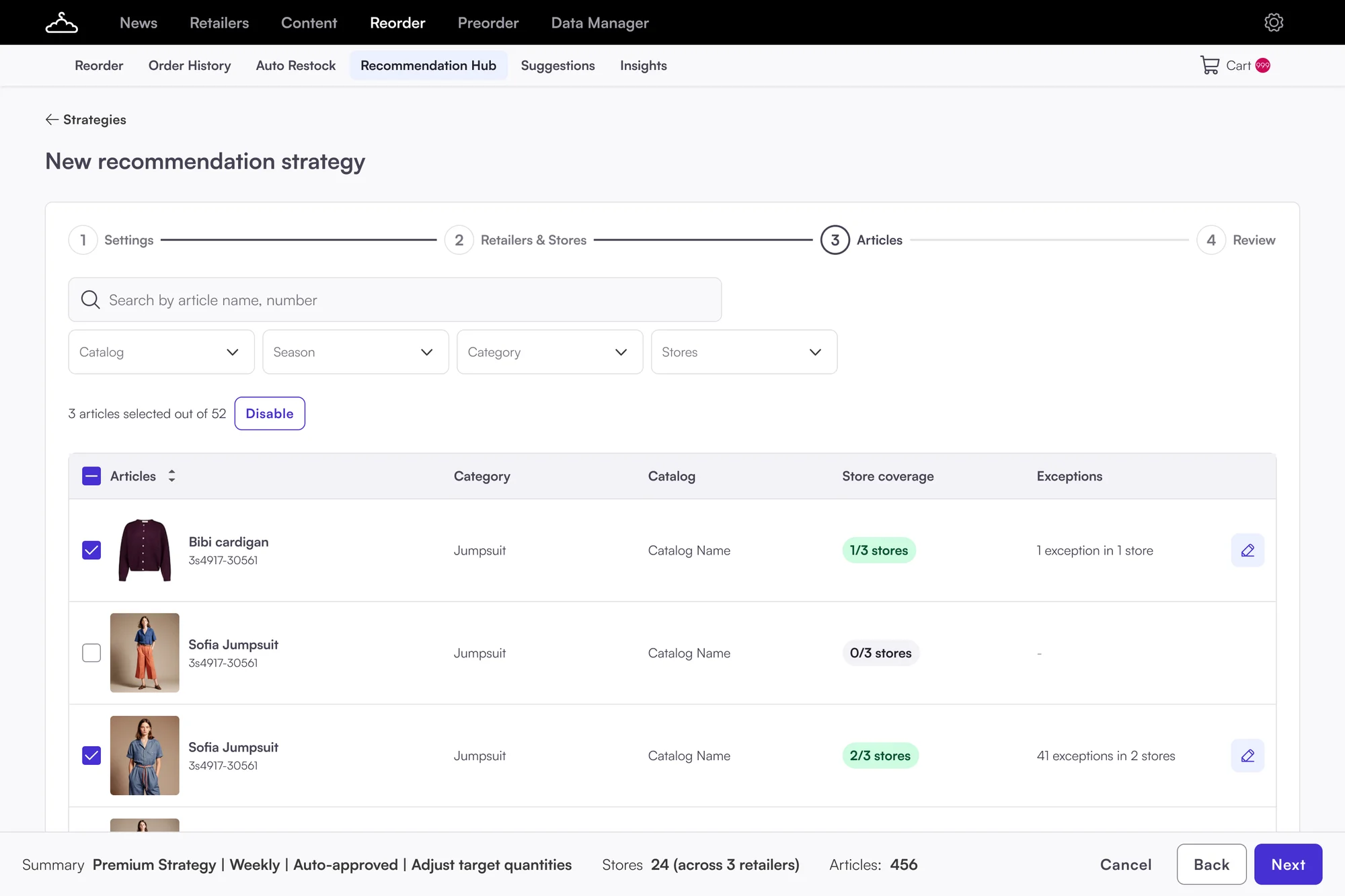
What we're building first: brands set up their own strategies.
A North Star the team and brands agreed on, a roadmap in six phases, and a first release that moves recommendation setup out of spreadsheets and into the product.
North Star vision, validated with brands and PSMs
Roadmap phases, each useful on its own
Moving recommendation setup from PSMs to brands through self-service
I led discovery to get everyone aligned on what Smart Replenishment should become.
I turned that direction into a North Star prototype and a phased roadmap, starting with self-service setup for recurring recommendations, followed by recommendation review in the product. The scope changed along the way. My job was to keep the bigger picture in view while working out what we could realistically build first.
- Led discovery and the workshop with Product, Data Science, Engineering and PSMs
- Designed the North Star prototype, built with AI and tested with brands and PSMs
- Phased roadmap with the PM and PO
- The UX and UI for Phase 1: recommendation setup
- Worked with the PM, PO, PSMs, Data Science and Engineering
Three problems, all connected
- No shared directionEveryone meant something different by "smart".
- Three tools, no single viewReorder, Suggestions and Auto Restock. Nothing showed what needed attention.
- The smartest feature lived outside the productThousands of numbers, no reasons. Every run needed a PSM.
Creating direction
What changes for Lena
From three tools with no reasons to one place that says what to do.
Lena's week
Too many tools and too much manual work
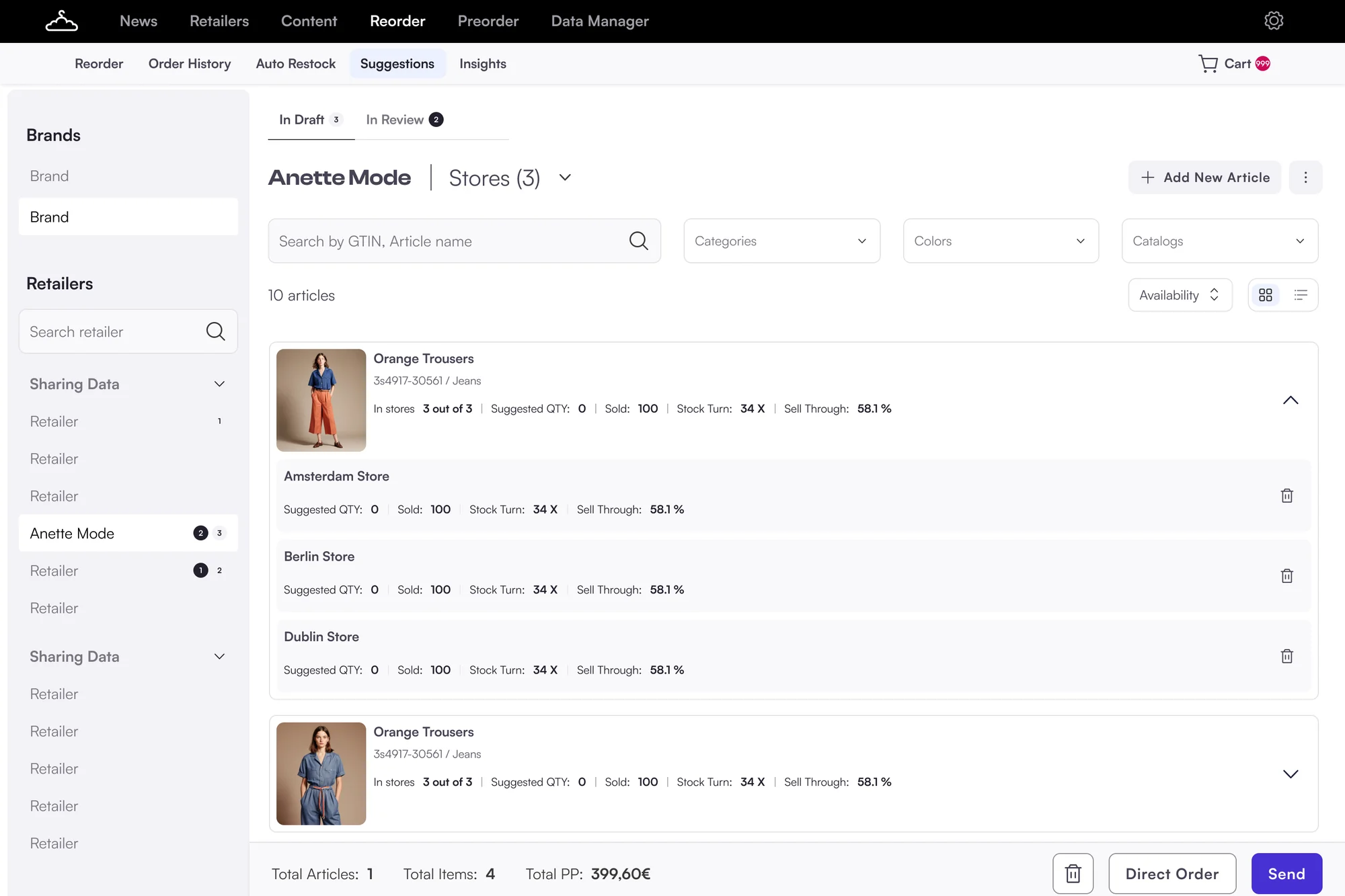
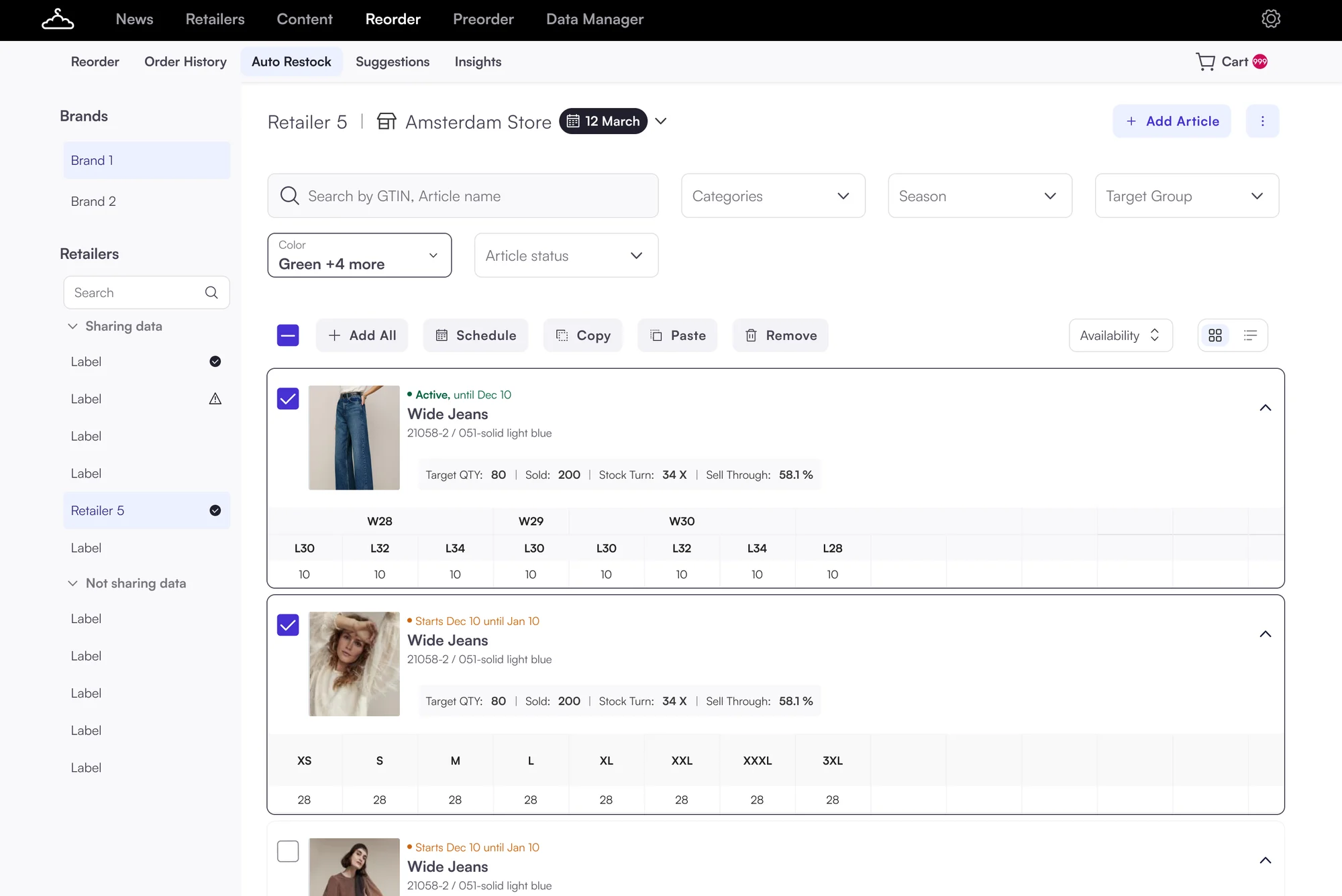
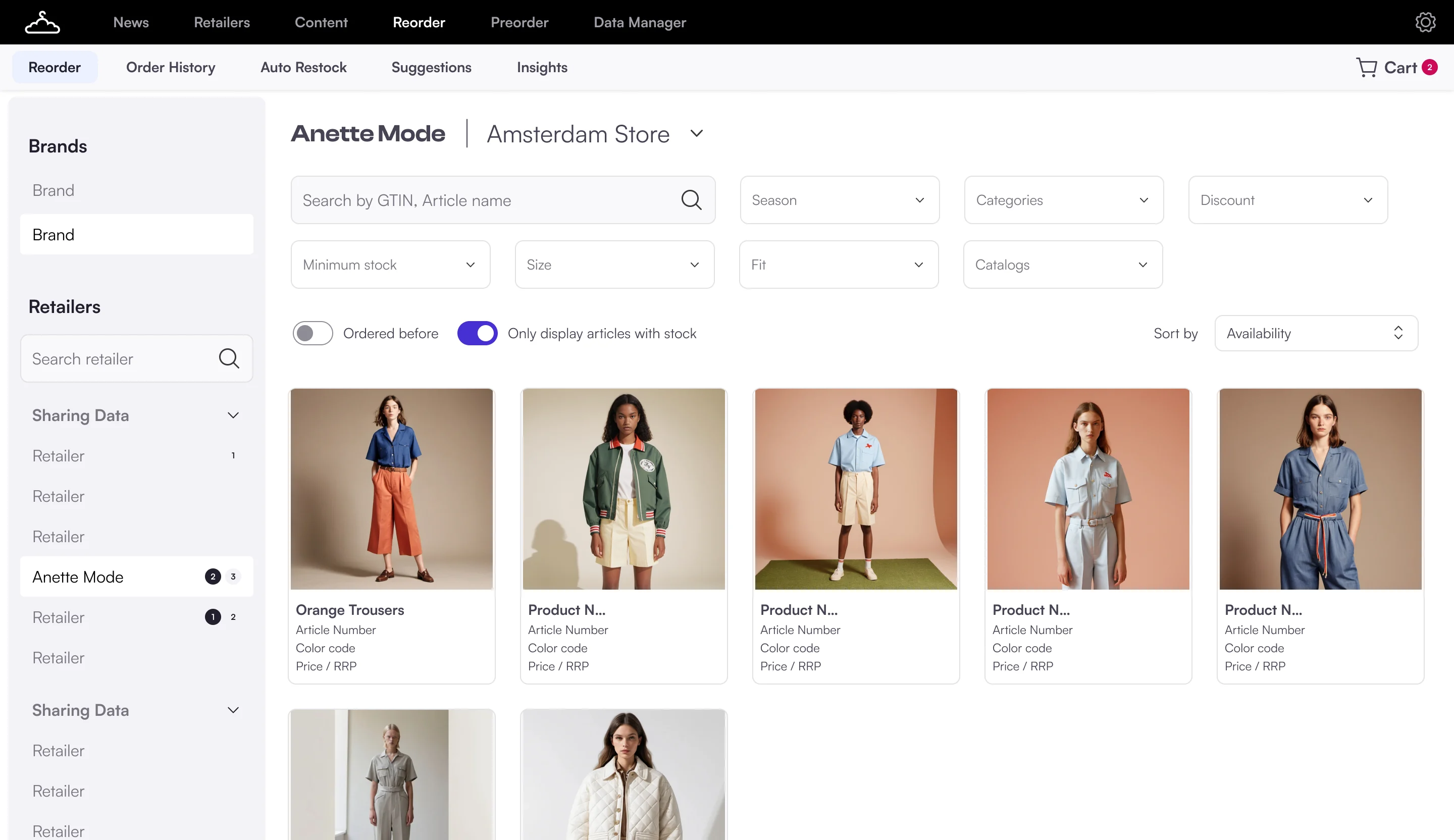
One place where she sees what to do
One connected cockpit
Every recommendation in one place, each with a reason. A clickable prototype I built with AI.
Try the North Star prototype
Click the tabs. The simulator works.
- 1What needs attention, at a glanceWhyLena had to look for problems herself, with no alerts.
- 2Every recommendation explains whyWhyData transparency and trust won the vote. "Black box" was the top worry.
- 3Accept, decline or override in placeWhyJob 2: act without switching tools. Today decisions happened in Excel.
- 4A simulatorWhy"Simulation and what-if scenarios" was one of the biggest wows in concept feedback.
- 5Recent activityWhyBrands asked to see who changed what, and when.
Dashboard
- 1Change the scenarioWhyBrands want everyday restocking automated, but control over big decisions.
- 2See the impact before applyingWhyThe team asked for quick simulations of impact and major risks.
- 3Real examples, with the reasonWhyTrust through transparency: no number without a reason.
What-if simulator
- 1Article-first viewWhyThe strongest signal in research.
- 2The change, before and afterWhyIn the sheet, brands only saw raw numbers with no context.
- 3Filter by retailer and riskWhy"Too much manual work. Everything is store by store."
Article list
- 1Retailer-first, for sales repsWhyLena: "I want to see which retailers need my attention and why."
- 2Risk per retailerWhyShows where to look first, so nobody has to dig.
- 3Settings per retailerWhyToday a PSM keeps these rules in a Google Sheet.
Retailer list
- 1Every decision recordedWhyBrands asked for an action log. It moved up our roadmap.
- 2The reason travels with itWhyOverride reasons feed back into better recommendations.
- 3UndoWhyA top fear about automation: not being able to cancel an incorrect order.
Action log
- 1Setup by recommendation typeWhyEvery blind sketch in discovery had setup by recommendation type.
- 2Manual review or automaticWhyScope of automation: the line between "system decides" and "user approves".
- 3Impact previewWhyPeople trust automation more when they see what will change.
Setup
How the concept took shape Map, two rounds of wireframes, blind sketches, three rounds of design
How the concept took shape
Every page, every job
Before drawing anything, I mapped what each page had to do.
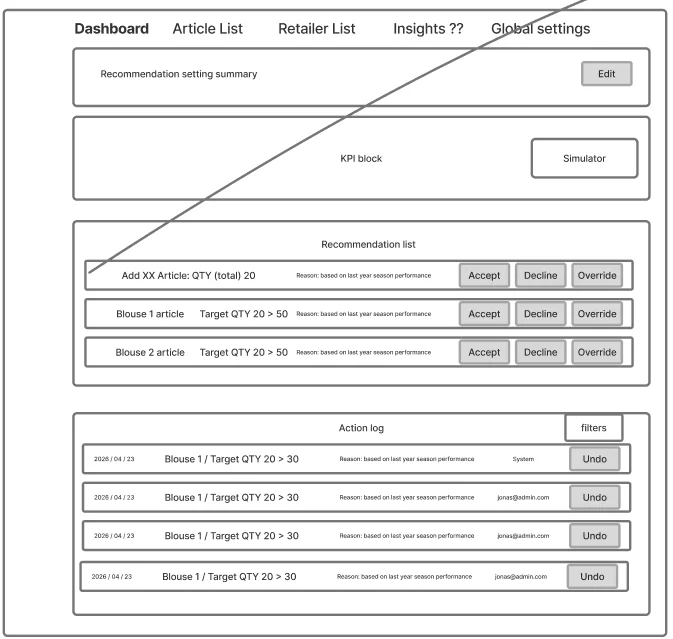
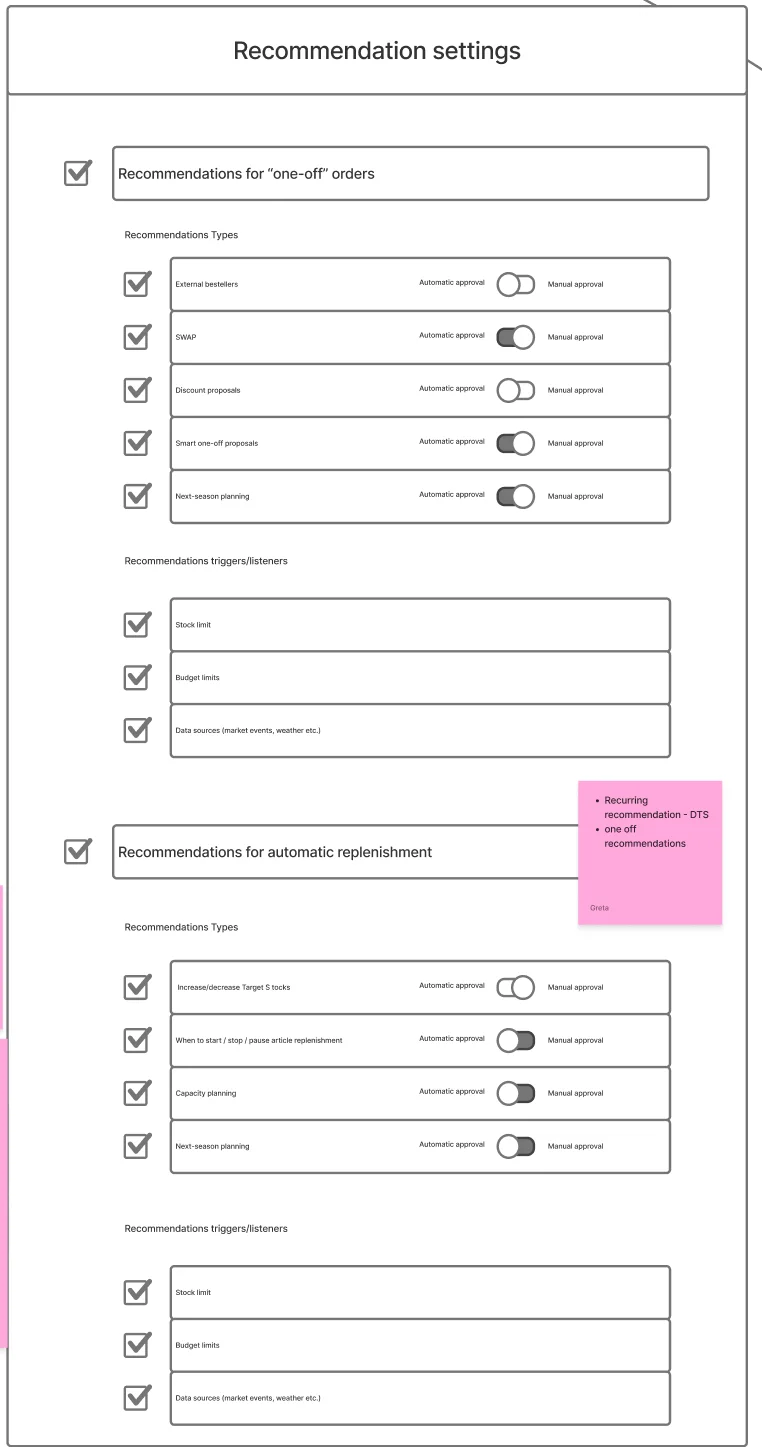
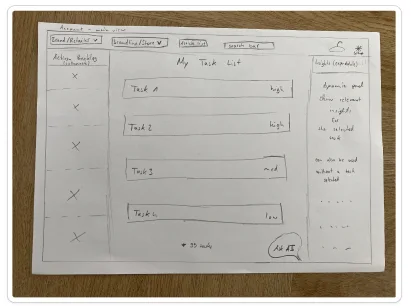
Wireframes to test the structure
Grey on purpose, so the team judged structure, not colour.
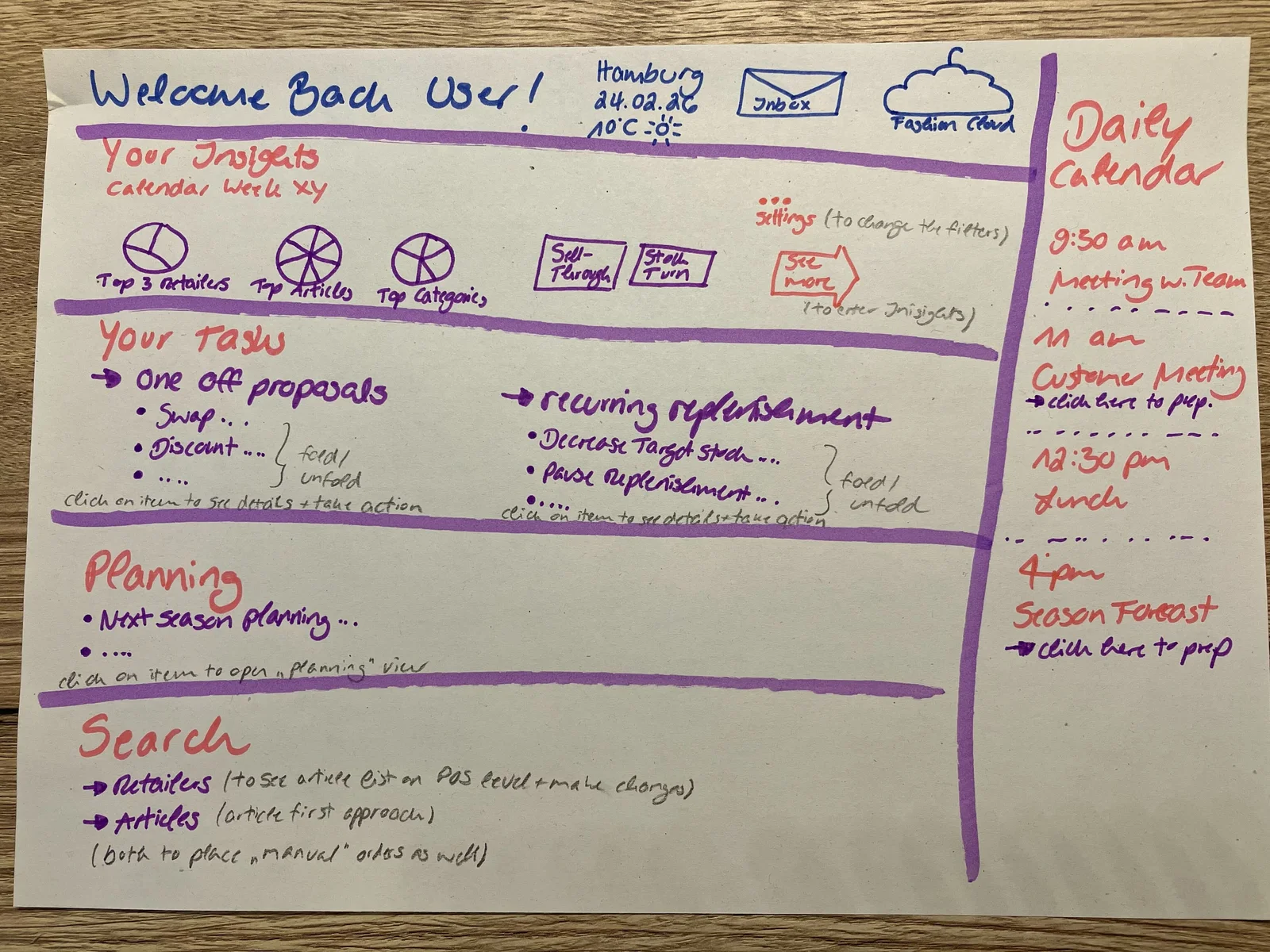
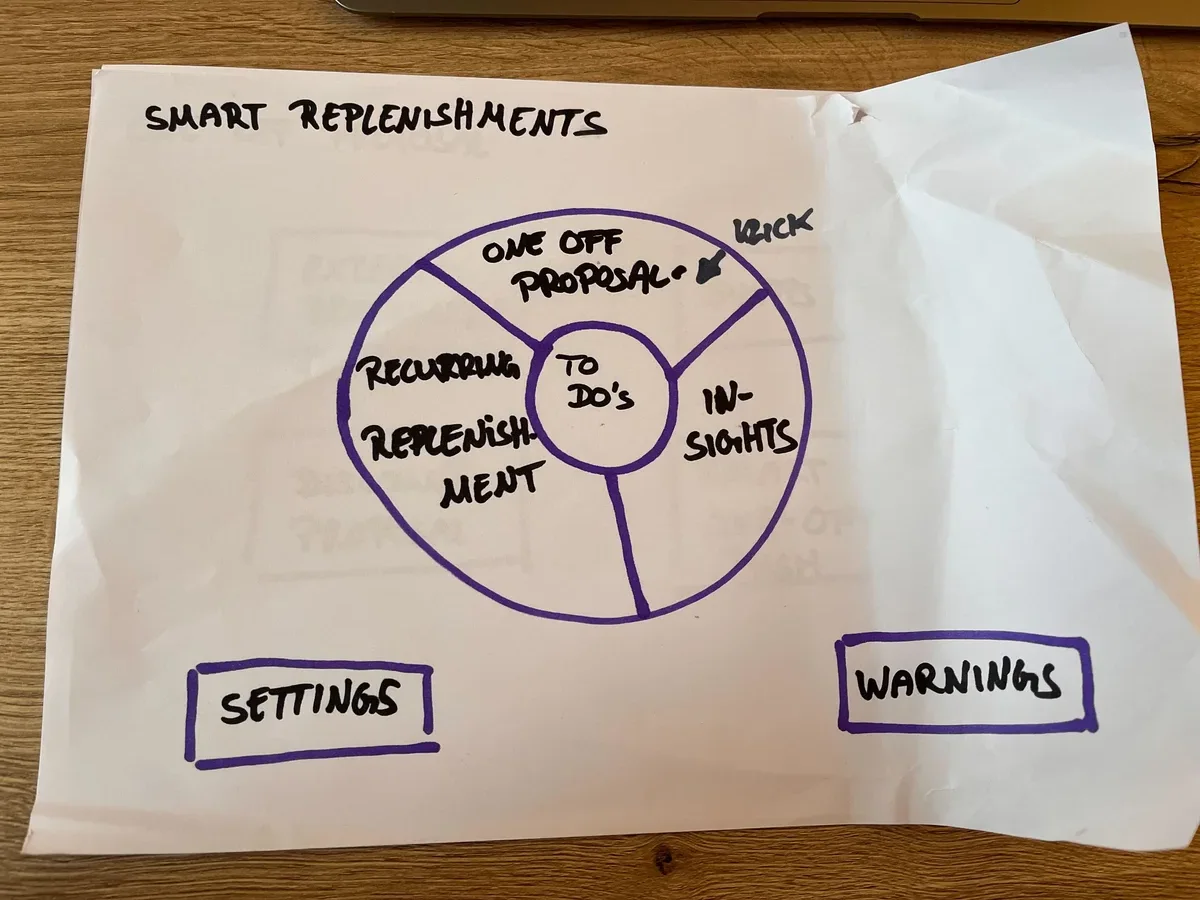
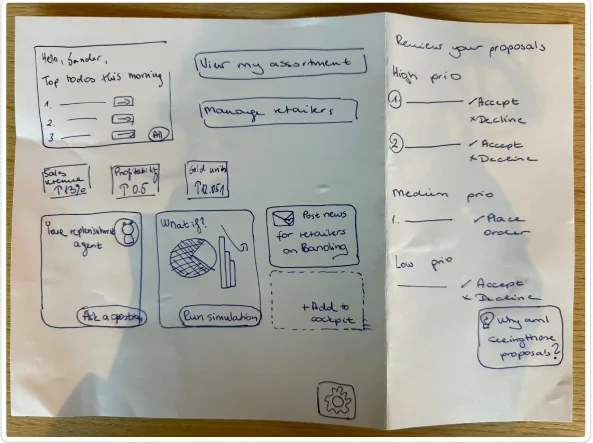
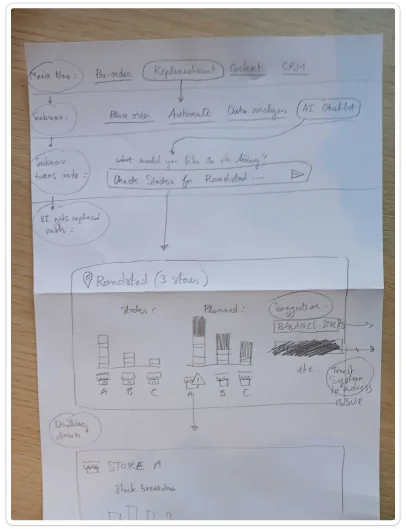
Blind sketches from the team
I asked the PO, PSMs and the team to sketch their own cockpit without seeing mine.
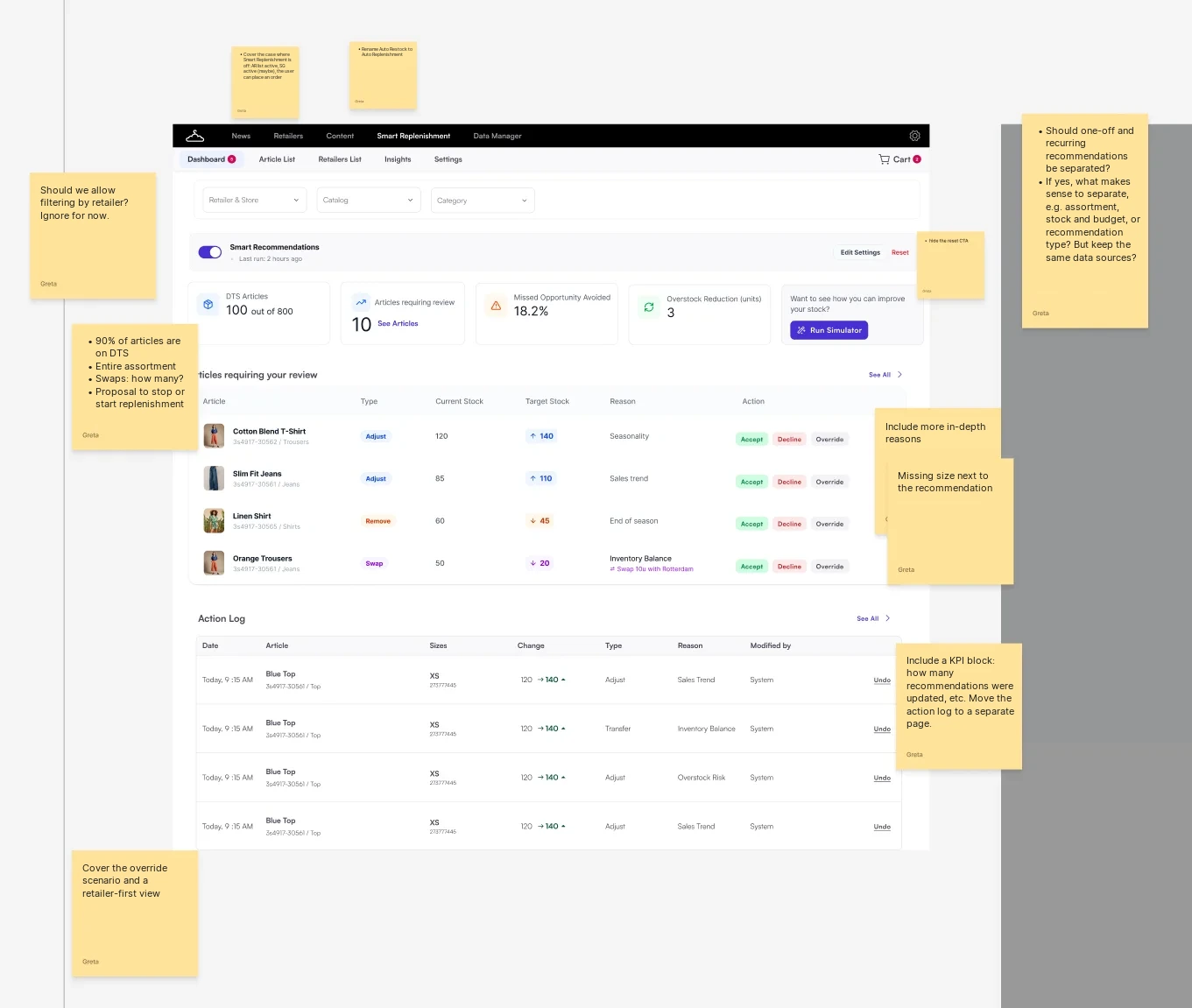
First hi-fi, reviewed against the jobs
I reviewed the first full-colour cockpit against the four jobs.
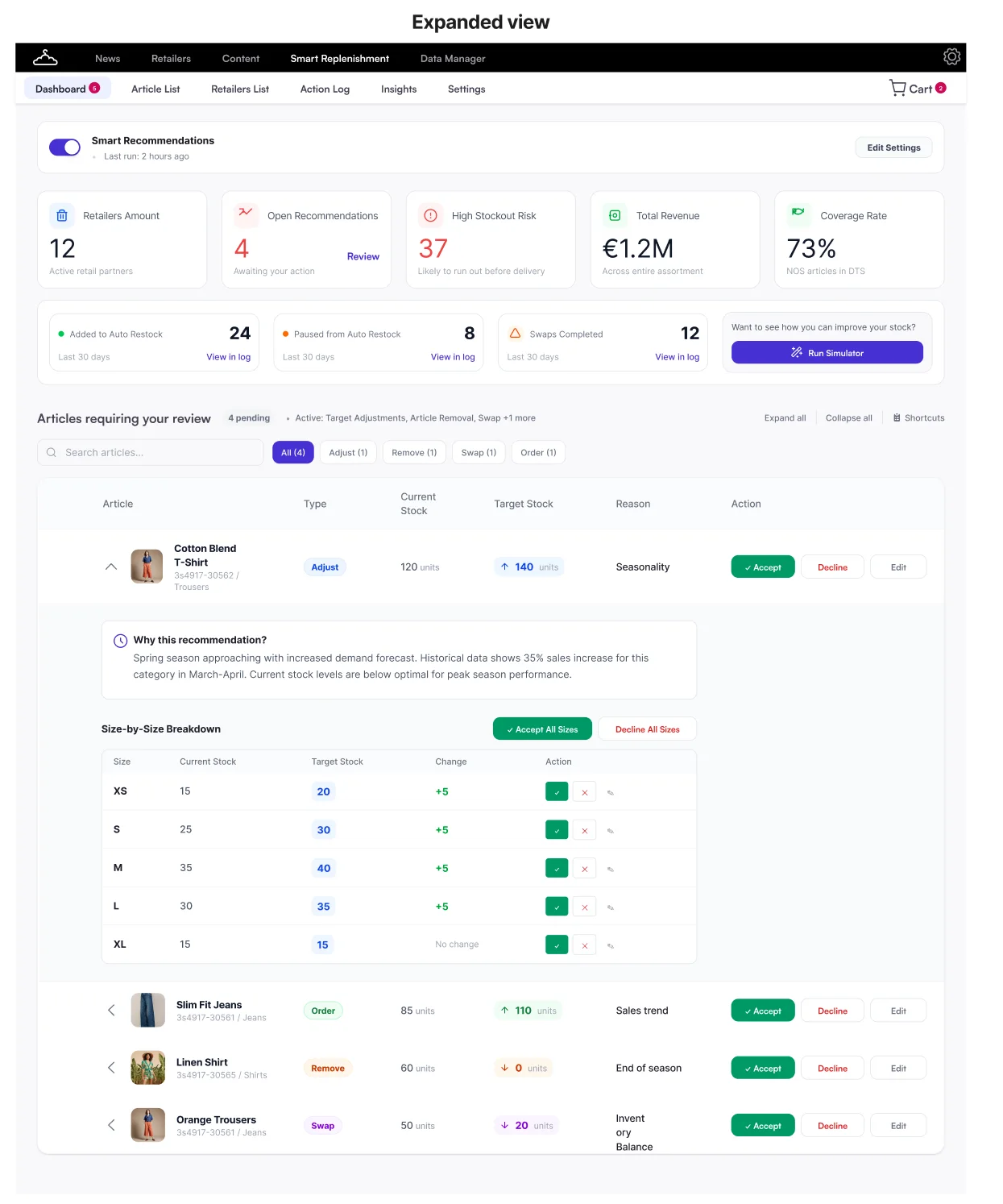
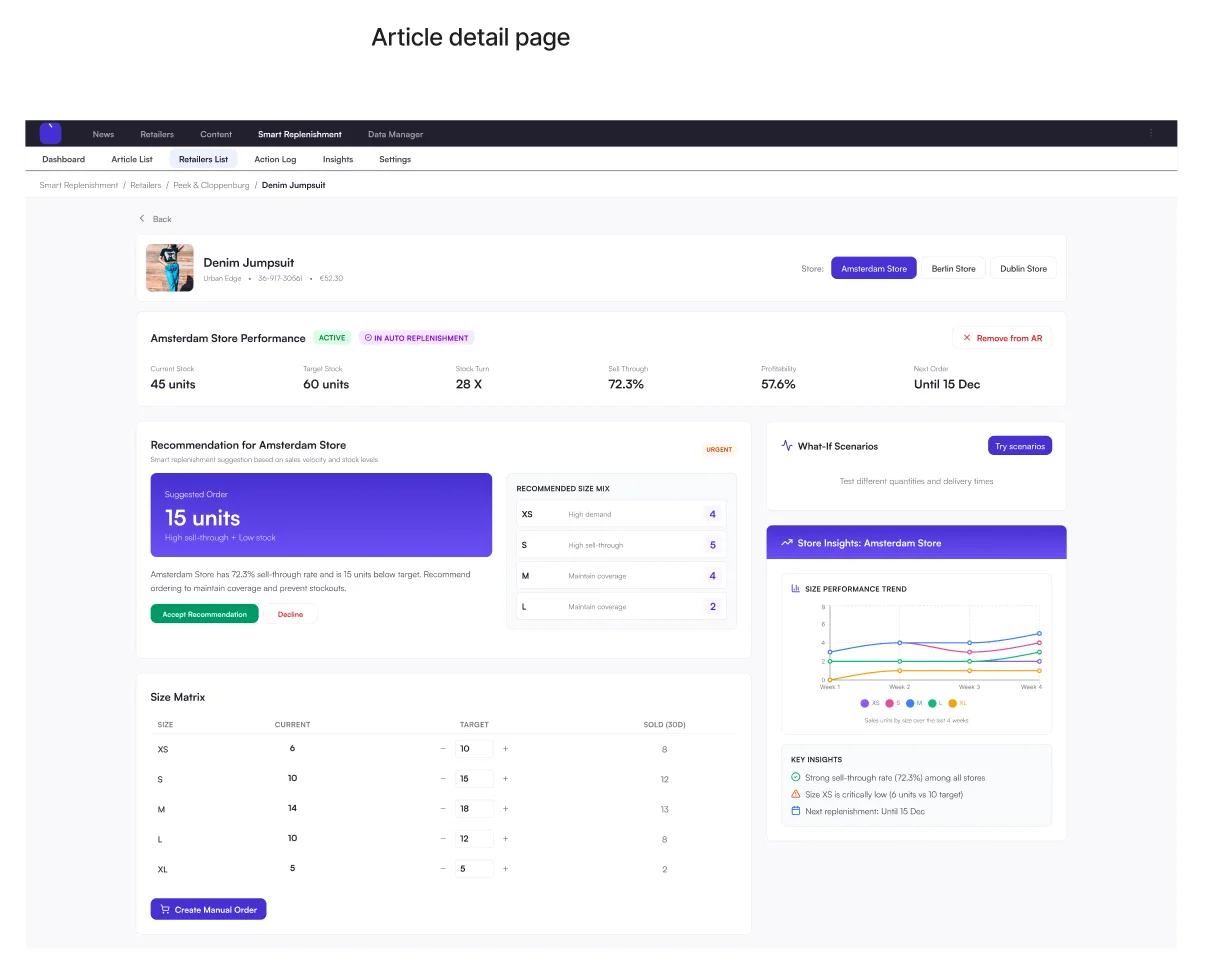
The answer to "why?"
Each recommendation opens into a plain-language "Why this recommendation?" and a size-by-size breakdown.
Can we build it, and do brands want it?
Engineering and data science, then PSMs and brands.
Is it feasible?
- Data availabilityPartly thereQuality varies by brand and retailer.
- Recommendation logicFeasibleHigh-volume, low-complexity decisions can follow a brand's rules.
- PlatformBuildable, with limitsToo many settings become a black box.
- ExplainabilityMust haveEvery "wow" about automation came with a worry.
What users said
Article-first
One overview of what needs attention
Action log moved up our roadmap
Notifications added to the Platform roadmap
Six phases, each useful on its own
With the PM and PO, I split the cockpit into phases that each work on their own.
- 1In developmentSetupBrands set their own rules
- 2In discoveryReviewAccept, decline, override
- 3LaterExplainabilityA reason for every one
- 4LaterOne homeOne entry point
- 5LaterAdvanced decision supportPrediction and what-if
- 6LaterArticle firstOne article, all retailers
Delivering the foundation
Setting up recommendations
Brands set up their own recommendations. No ticket, no sheet.
Requirements and scope kept changing as new stakeholders joined. I adjusted, and pushed back on what should come later.
Where it started
- 1BrandWants a rule changedCan't change it on their own
- 2PSMChecks the rules, raises a ticket1 to 2 h per brand, per run
- 3Google SheetRules copied in by handRules live outside the product
- 4Data scienceRuns the scriptEvery run needs a hand-off
Give recommendations their own home
The plan was to add them to Auto Restock. I pushed back: the page was already dense.
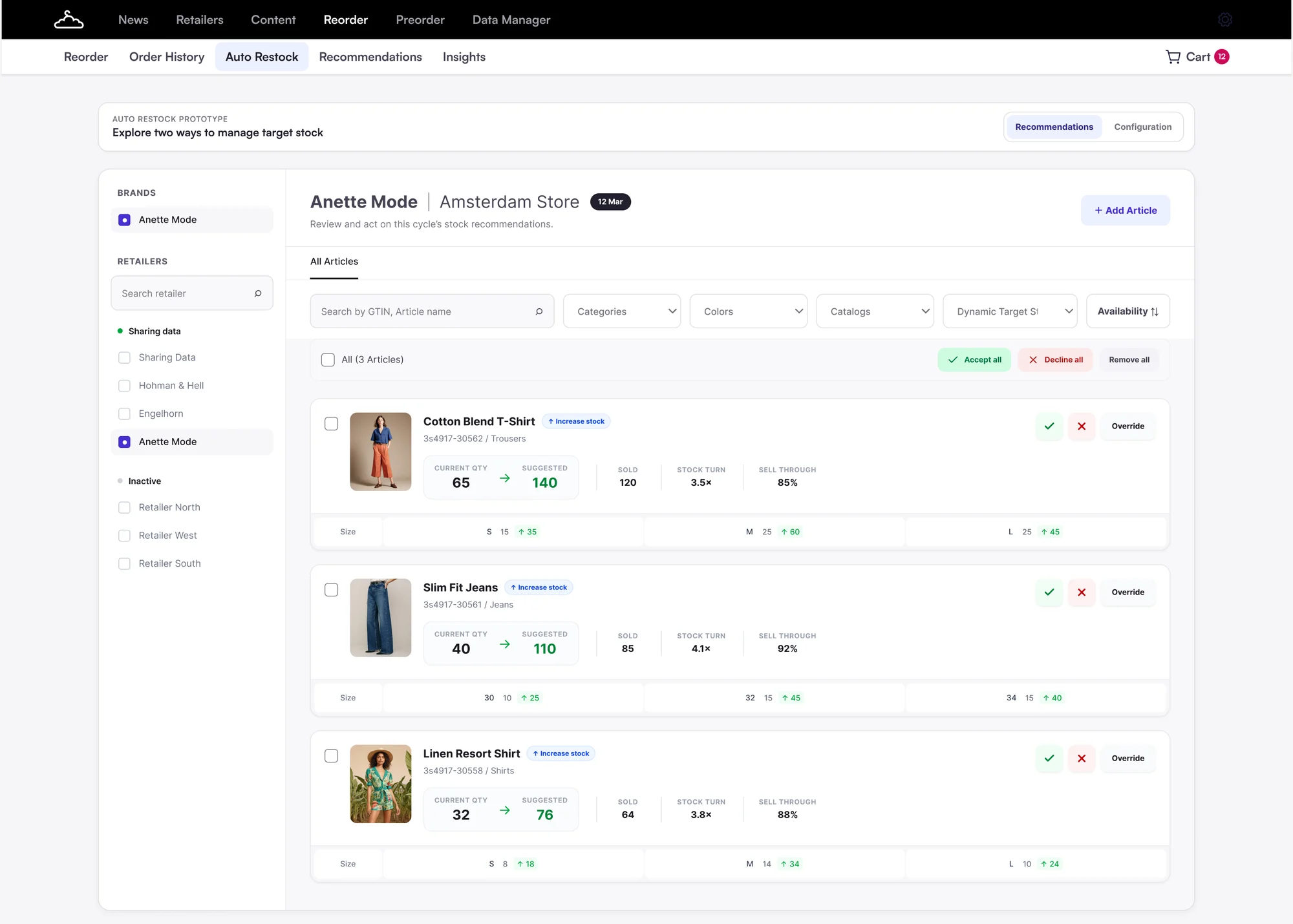 1234
1234- Hidden inside Auto Restock.
- One retailer and store at a time.
- A big new job on an already busy page.
- Dynamic Target Stock articles behind a filter.
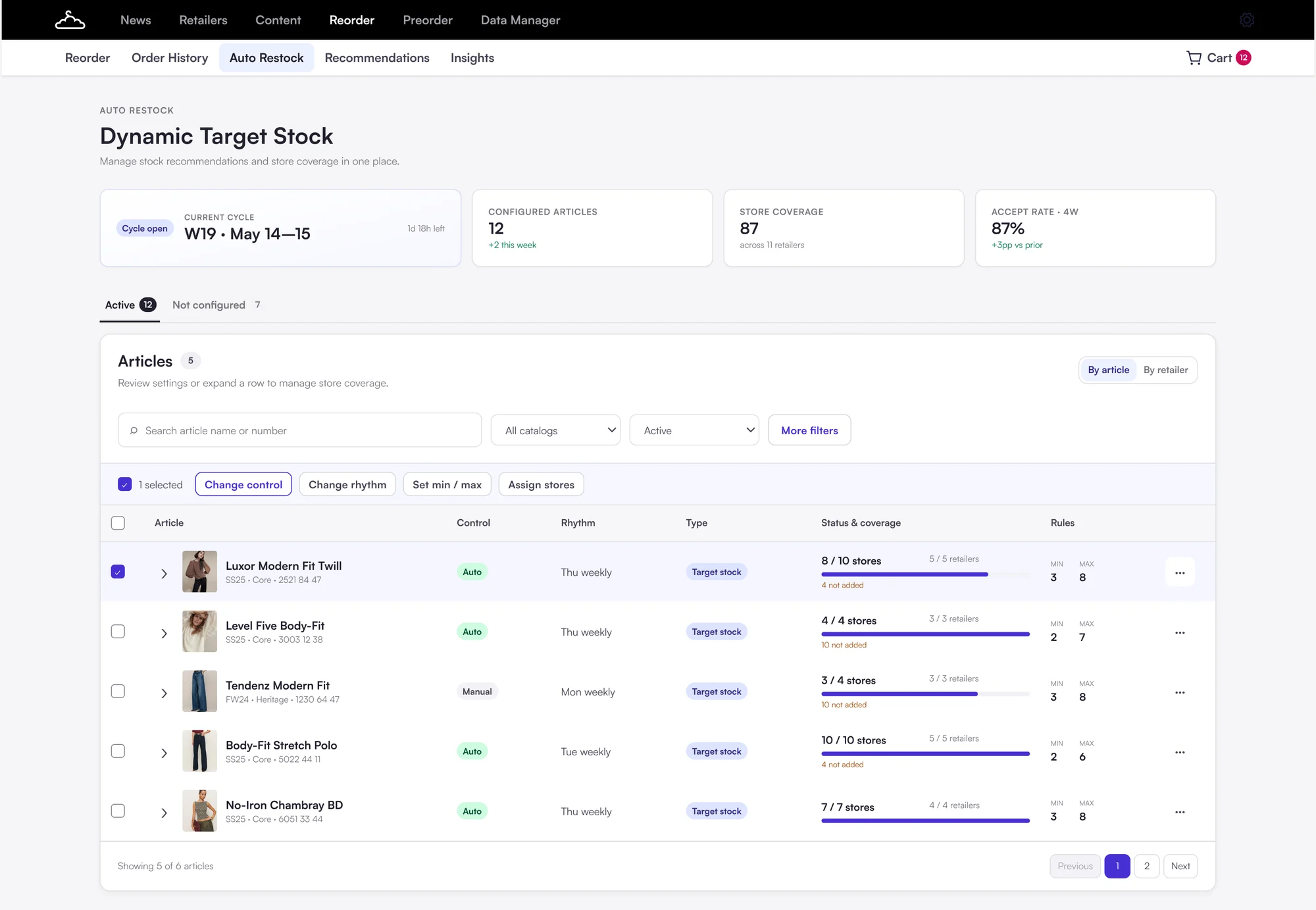 123
123- Its own entry point, next to Auto Restock.
- Bulk actions across retailers, new for brands.
- Store and retailer coverage in one view.
Reusable strategies over article-by-article setup
Article by article rebuilt the Excel work. Brands think in rules, so: define once, apply, add exceptions.
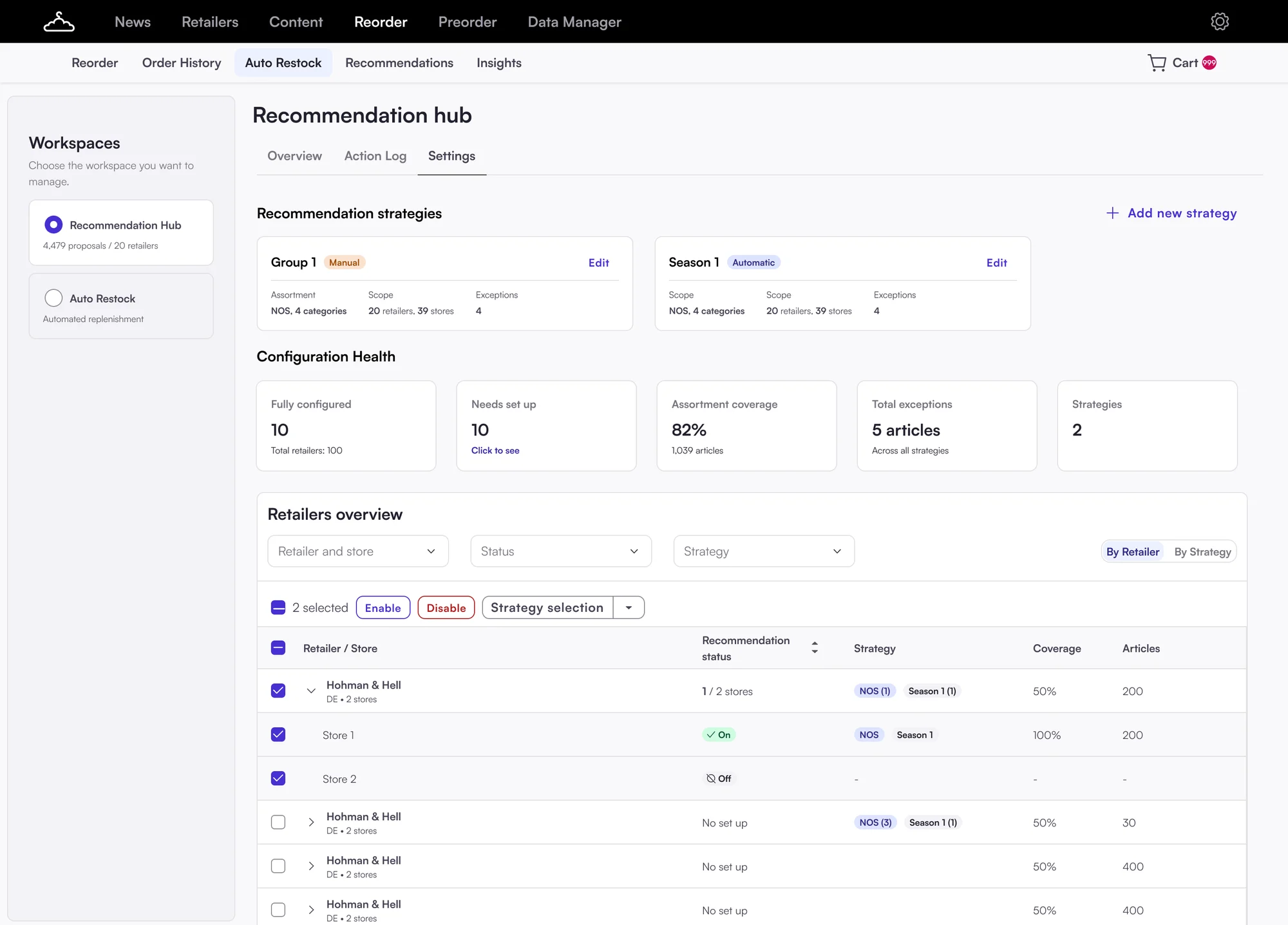
The result. Brands backed strategies. They asked for clearer retailer and article selection.
Make the setup clear
Brands supported reusable strategies, but testing showed that the setup wasn't clear enough.
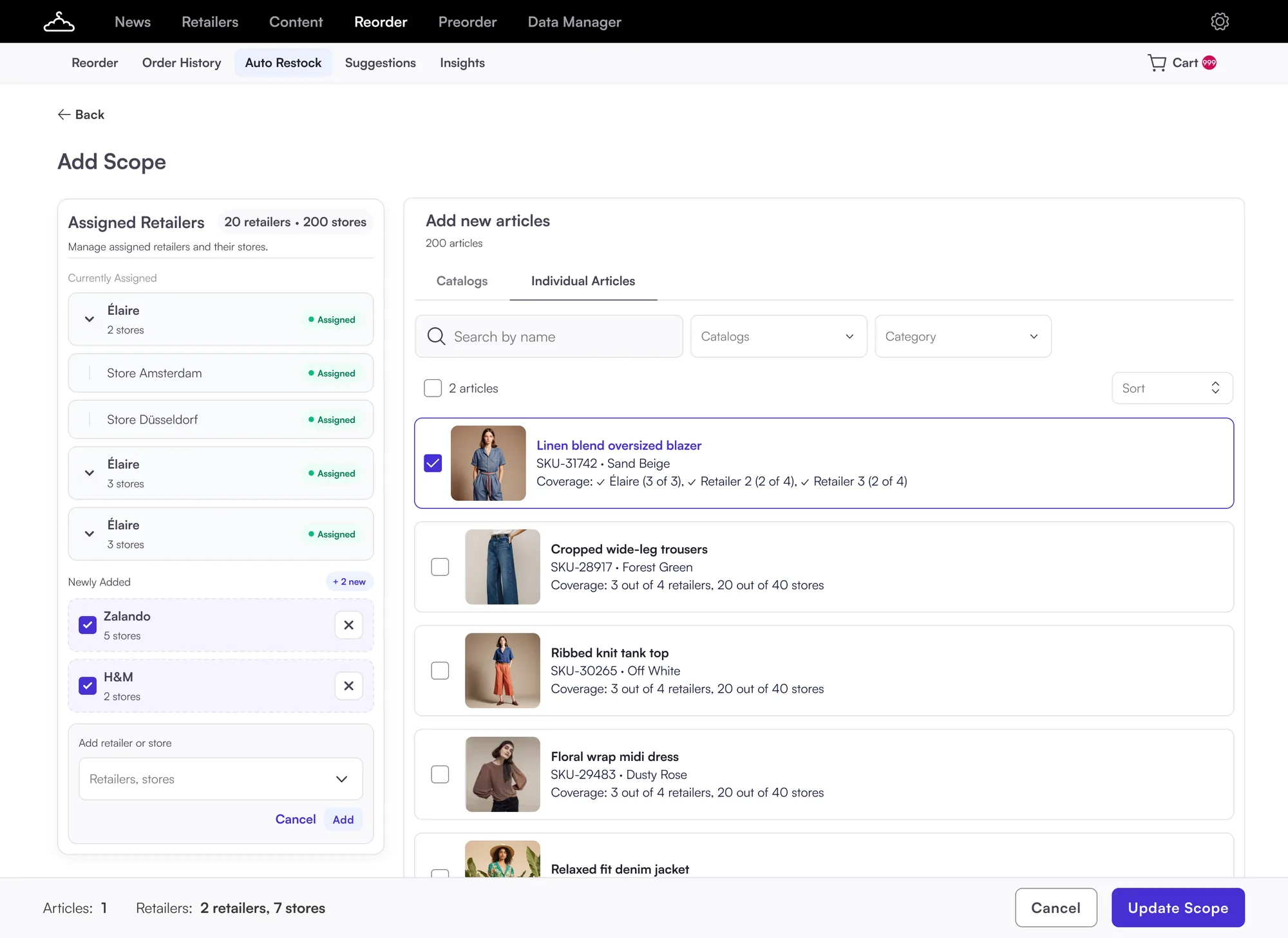 123
123- Retailers added one by one from a dropdown.
- "Add new articles" sounded like adding them to Auto Restock.
- Retailers and articles changed at once, then "Update Scope".
Add a recommendation strategy
- ✓Strategy detailsWeekly, Auto-accepted
- 1
- 3
- 4Review & activate
Retailers
Your Auto Restock retailers and stores. Enable the stores that should get recommendations.
Articles
Articles from your Auto Restock list are shown for the retailers and stores enabled in this strategy. Enable the articles you want to include.
 Linen blend oversized blazerSKU-31742Blazers5/5 stores
 Cropped wide-leg trousersSKU-28917Trousers3/5 stores
 Ribbed knit tank topSKU-30265Tops0/5 stores
 Floral wrap midi dressSKU-29483Dresses0/5 stores
- Every Auto Restock retailer is listed. Enable stores, see coverage.
- "Enable recommendations" for articles already in Auto Restock.
- Strategy, retailers, articles, review: one step at a time.
The final flow
From the strategy list to a live strategy, after testing with PSMs and brands. Click through the steps.
Recommendation Hub
+ Add strategyAdd a recommendation strategy
- 1Strategy details
- 2Retailers
- 3Articles
- 4Review & activate
New recommendations every Thursday at 09:00. Review them until Friday 12:00.
Add a recommendation strategy
- ✓Strategy detailsWeekly, Auto-accepted
- 2Retailers
- 3Articles
- 4Review & activate
Retailers and stores
Retailers and stores from your Auto Restock list. Enable the ones you want to include in this strategy.
Add a recommendation strategy
- ✓Strategy detailsWeekly, Auto-accepted
- ✓Retailers5 stores · 2 retailers
- 3Articles
- 4Review & activate
Articles
Articles from your Auto Restock list are shown for the retailers and stores enabled in this strategy. Enable the articles you want to include.
Linen blend oversized blazerSKU-31742Blazers5/5 storesCropped wide-leg trousersSKU-28917Trousers3/5 storesRibbed knit tank topSKU-30265Tops0/5 storesAdd a recommendation strategy
- ✓Strategy detailsWeekly, Auto-accepted
- ✓Retailers5 stores · 2 retailers
- ✓Articles160 articles
- 4Review & activate
Review and activate
Check the strategy before recommendations start.
Schedule Weekly: every Thursday, 09:00Unreviewed Auto-acceptedType Adjust target stock
2/3 retailers 5/9 stores
160/200 articles
Premium Strategy Active
⋮Schedule Weekly: every Thursday, 09:00Unreviewed Auto-acceptedType Adjust target stock
2/3 retailers 5/9 stores
160/200 articles
Every strategy with its status, schedule, review mode and coverage. Drafts reopen where setup stopped.
Name, schedule and type. Runs are fixed: recommendations on Thursday, review until Friday 12:00. Brands choose what happens to anything left unreviewed.
WhyBrands needed it to be clear that unreviewed items change nothing.
Every Auto Restock retailer is listed, expandable to stores. Stores added later start disabled, so nothing gets recommendations silently.
WhyPSMs couldn't tell if they were setting up Auto Restock or a strategy.
One table with catalog, season and category filters and coverage per store. Only articles already in Auto Restock.
WhyBrands said picking articles one by one felt like work.
A read-only summary with exact counts, then a clear confirmation that recommendations are live.
An active strategy opens on one overview, not the setup steps again. Edit each part from here.
WhyIn testing, reviewing felt like repeating the whole setup.
What I learned
Feedback came late and the MVP kept moving. Next time I'd agree scope with everyone first.
If it's harder than the old way, people won't switch.
Name what happens to recommendations nobody reviews.
UKTV Play 3.0: video streaming for TV, mobile and web
Read case study