Case study 04 · Bwin at Entain · Sports betting
Finding a match to bet on in 4 steps instead of 9
- Role
- UX designer at Entain. I owned the UX and the usability testing.
- Team
- 1 PM, 2 business analysts, developers
- Platforms
- Desktop and mobile web
- Status
- Shipped and live
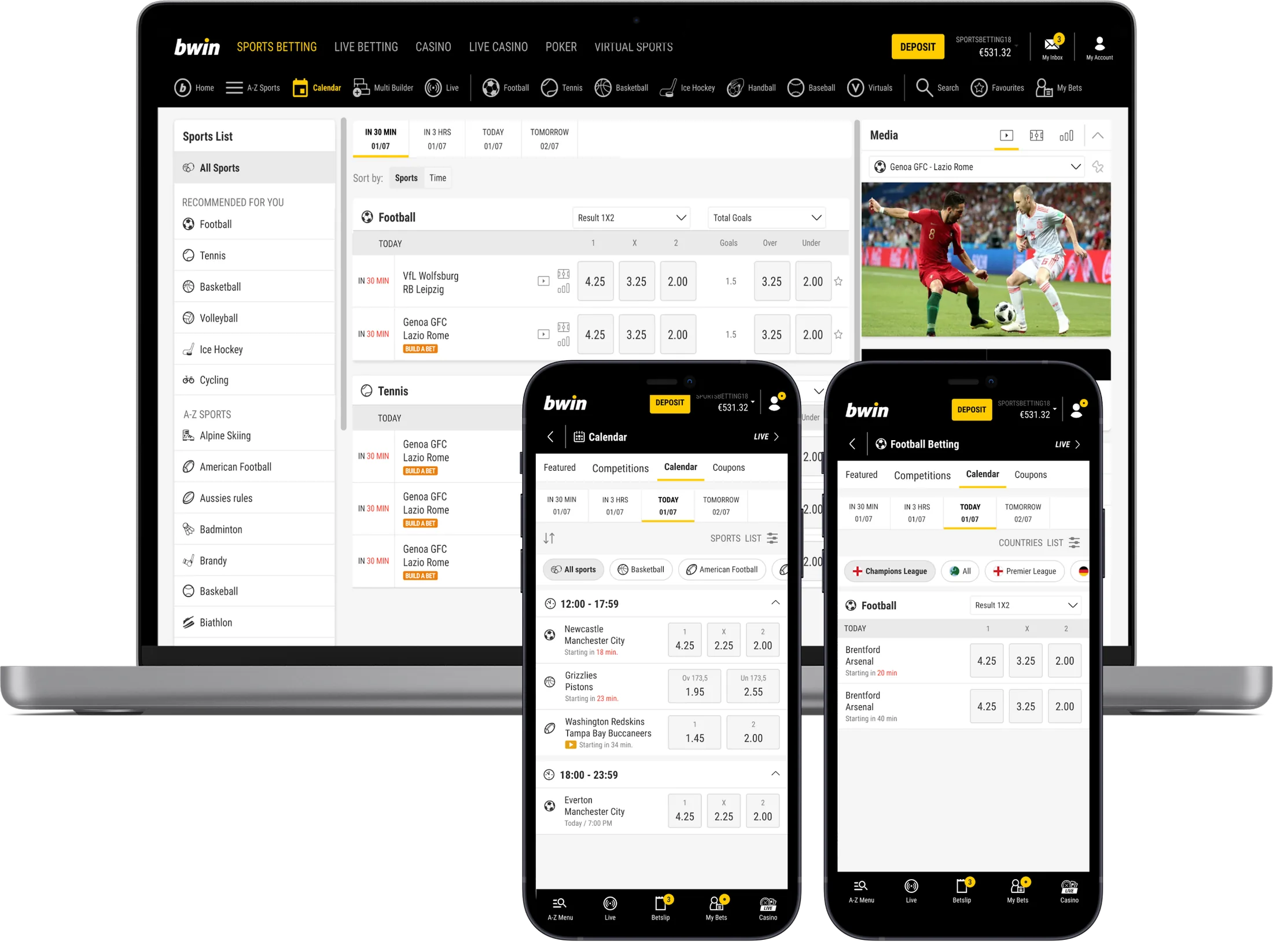
Placed from the calendar after launch.
I don't have the exact numbers, but the increase was clear.Instead of 6 to 9 to find a match and bet.
Times going back. Time, sport and competition all change on one page.
Early on we realised that fixing just the calendar page wasn't enough. Optimising the whole journey would have a much bigger business impact.
Given the demand for time-based betting, that became the scope.
- UX designer at Entain, owned the UX
- Ran the usability testing
- Worked with 1 PM, 2 business analysts and developers
9 steps to find one match
Betting is time-sensitive. Odds change, matches kick off. The old calendar showed one sport, one time frame and one competition at a time. If nothing interesting came up, you had to go back and start over.
- Let people switch between sports and competitions without friction
- Make the calendar easier to get to
- Show event times and markets right away
Four phases, start to finish
Not interested in my design process? No worries at all. Skip to the final design.
- 1Empathise with users
- Gathered previous research and analytics
- Mapped the main problems in the current journey
- Competitor analysis
- 2Explore design options
- Every edge case, like different entry points and bet types
- Key decisions
- 3Iterate design
- Changes based on usability tests
- Team and stakeholder feedback
- 4Hand over to developers
- Presented to developers
- Defined the scope
- UAT
Two kinds of bettors, two entry points
From existing research and analytics on how and where people place bets, we saw two kinds of bettors. So the calendar has two entry points: all sports by default, and a sport-specific version for people who already know what they want.

Bets on multiple sportsJames, 31 · football, basketball, tennis
I tend to place a bet on different competitions from different sports, happening today or starting soon.

Follows the top competitions of one sportYannis, 29 · football
I tend to place a bet on the most popular football competitions, happening today or tomorrow.
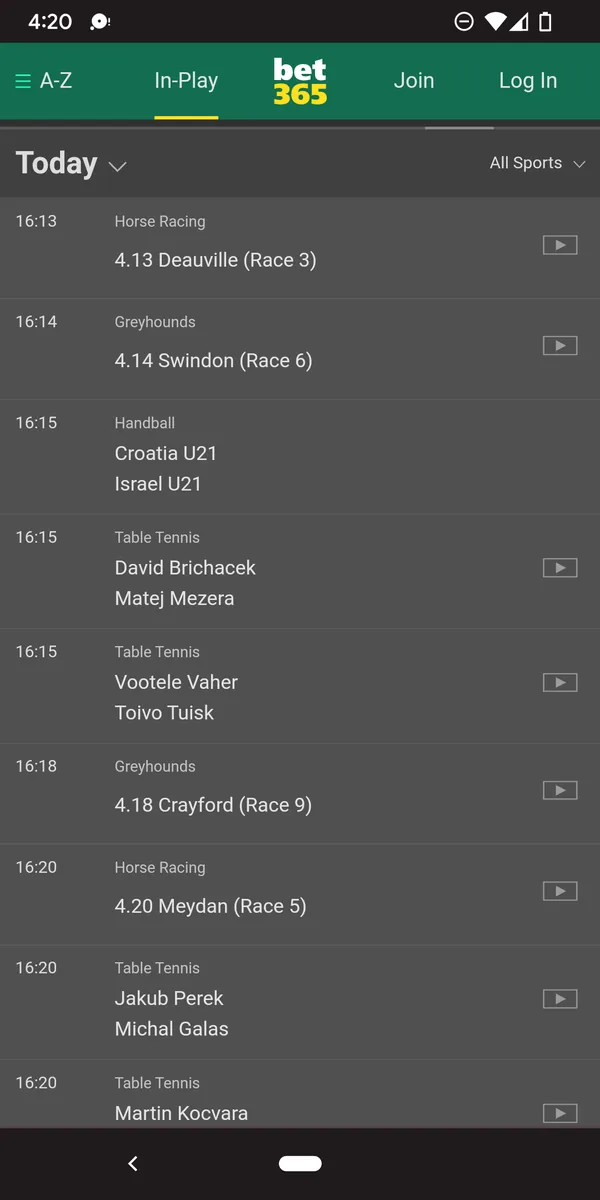
Times up front, switching on one page
Other betting apps and TV guides showed two things: times need to be easy to see, and switching should happen on one page. Four decisions followed.
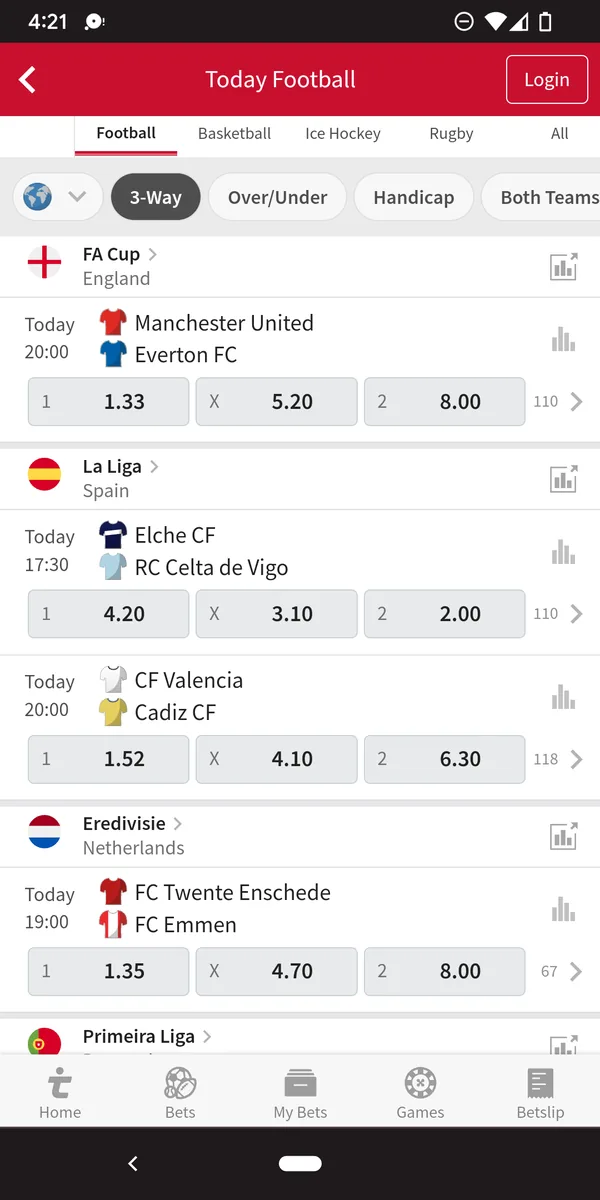
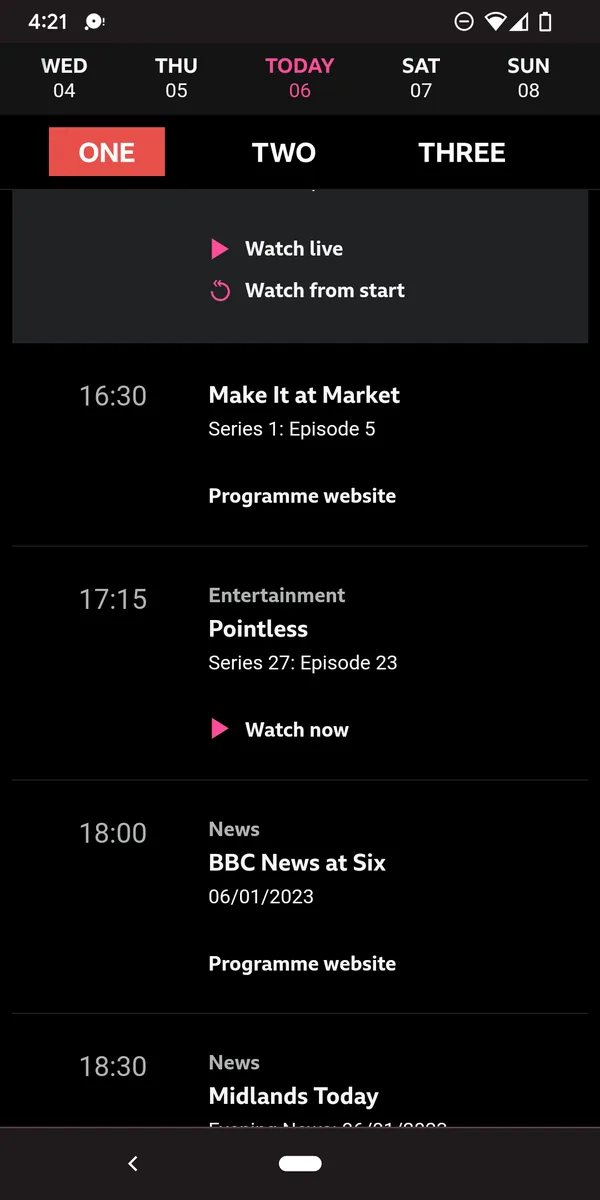
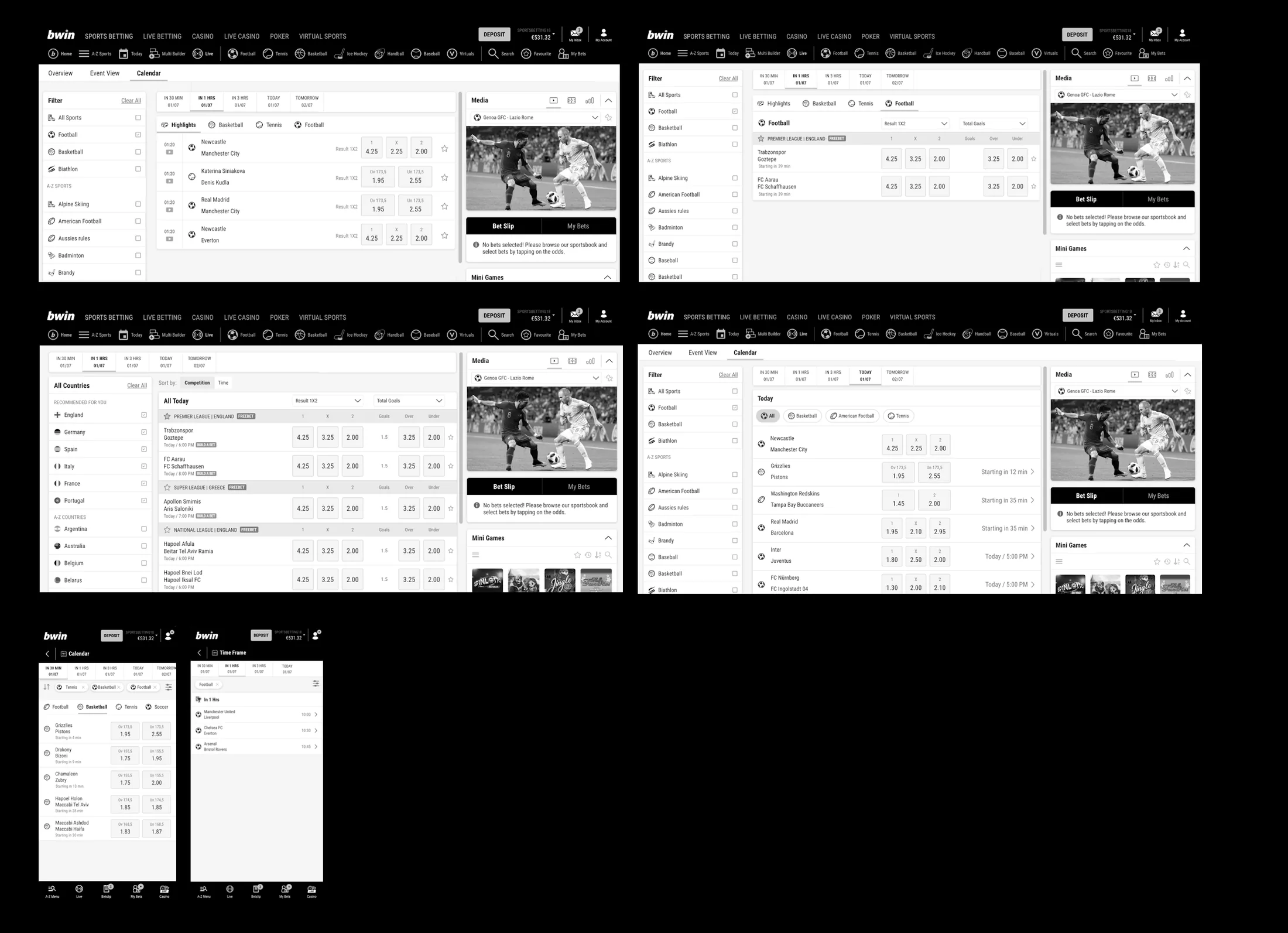
- All sports by defaultBuilt for multi-sport bettors, the ones stuck in the loop.
- Time frames as tabsAlways visible, never behind a filter.
- Multi-selectPick several sports and competitions at once. No more going back.
- Odds in the listBet without opening the match.
From 9 steps to 4
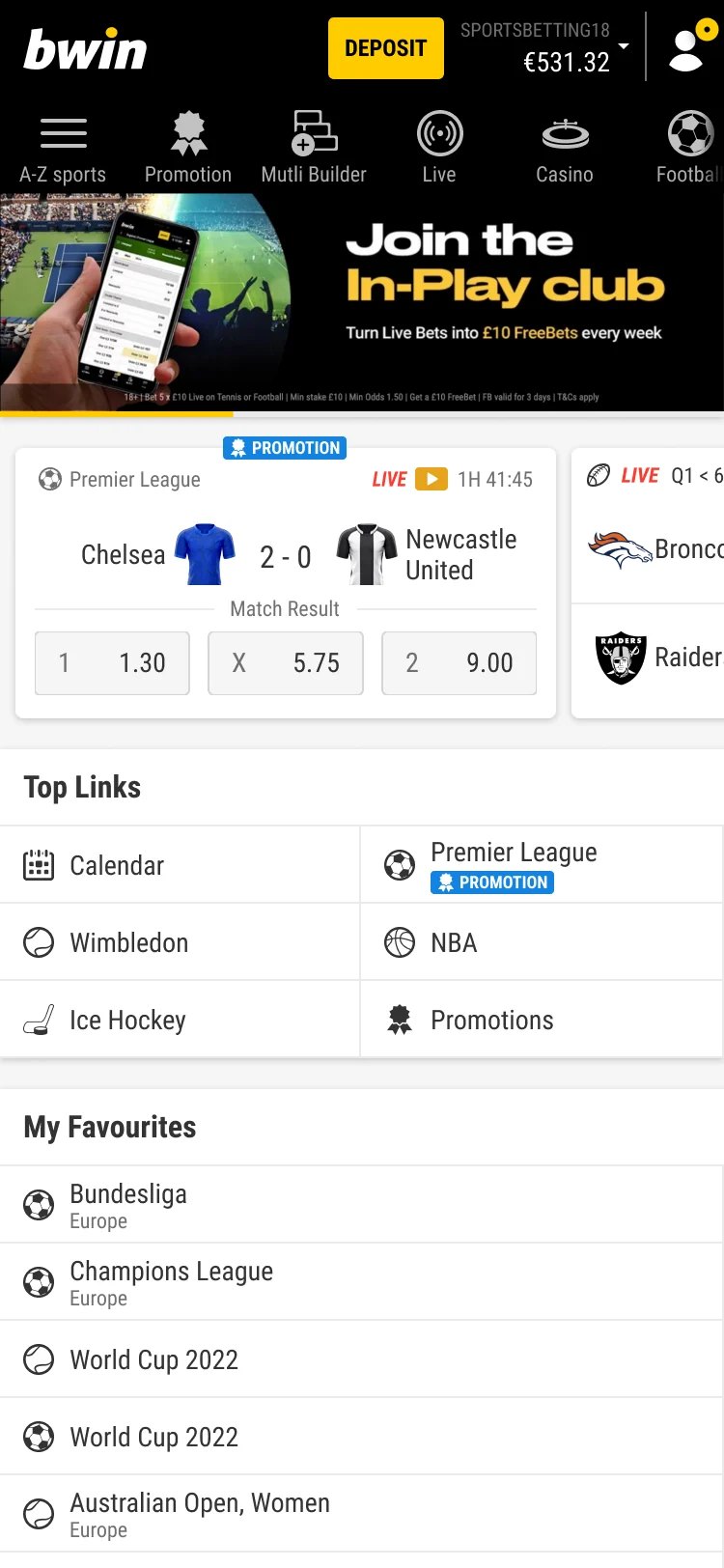
Two steps are gone completely. The rest merge into four. Hover a new step to see which old steps it replaces.
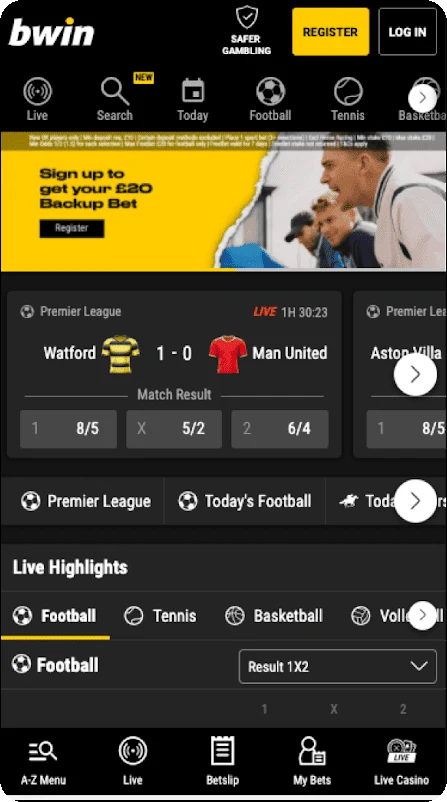
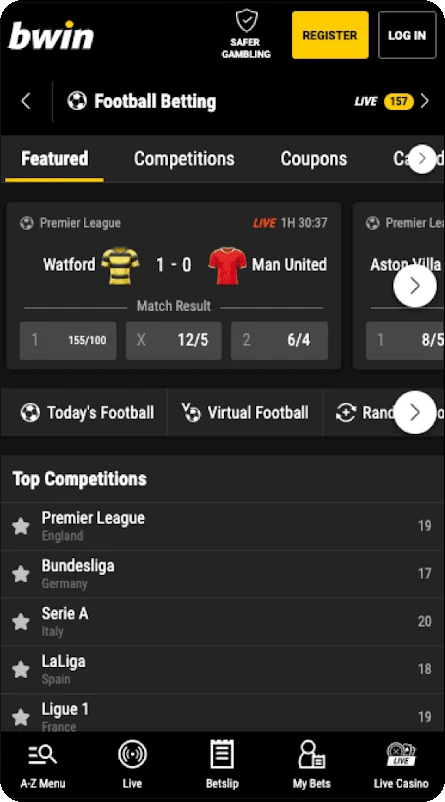
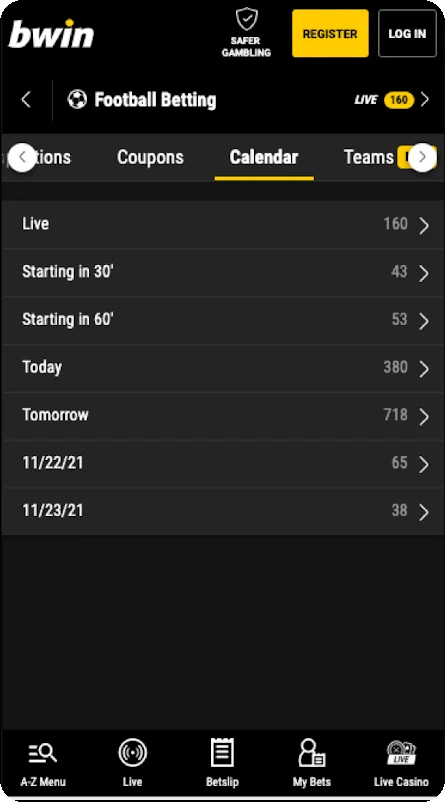
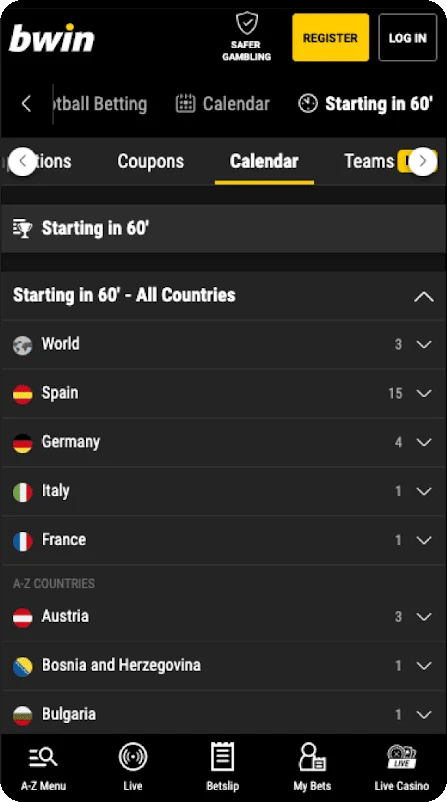
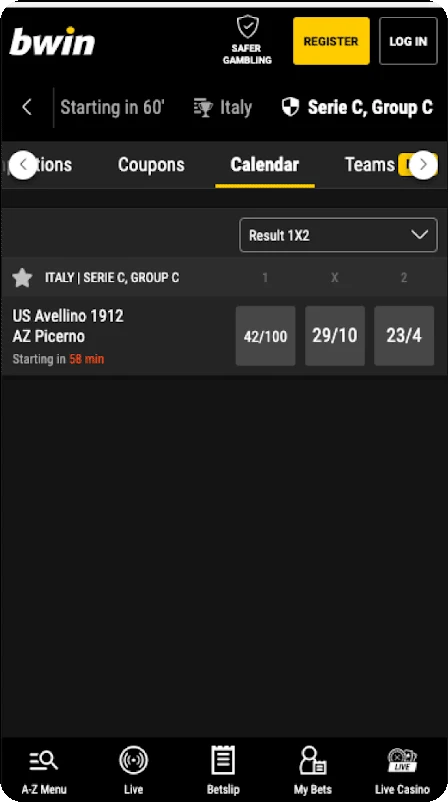
- Open the home page
- Find Football in the A-Z
- Open the Calendar tab
- Pick one time frame
- Pick one competition
- Browse, nothing interesting
- Go back, pick "Today"
- Pick a competition again
- Find the match, add to betslip
All 5 found a match and bet
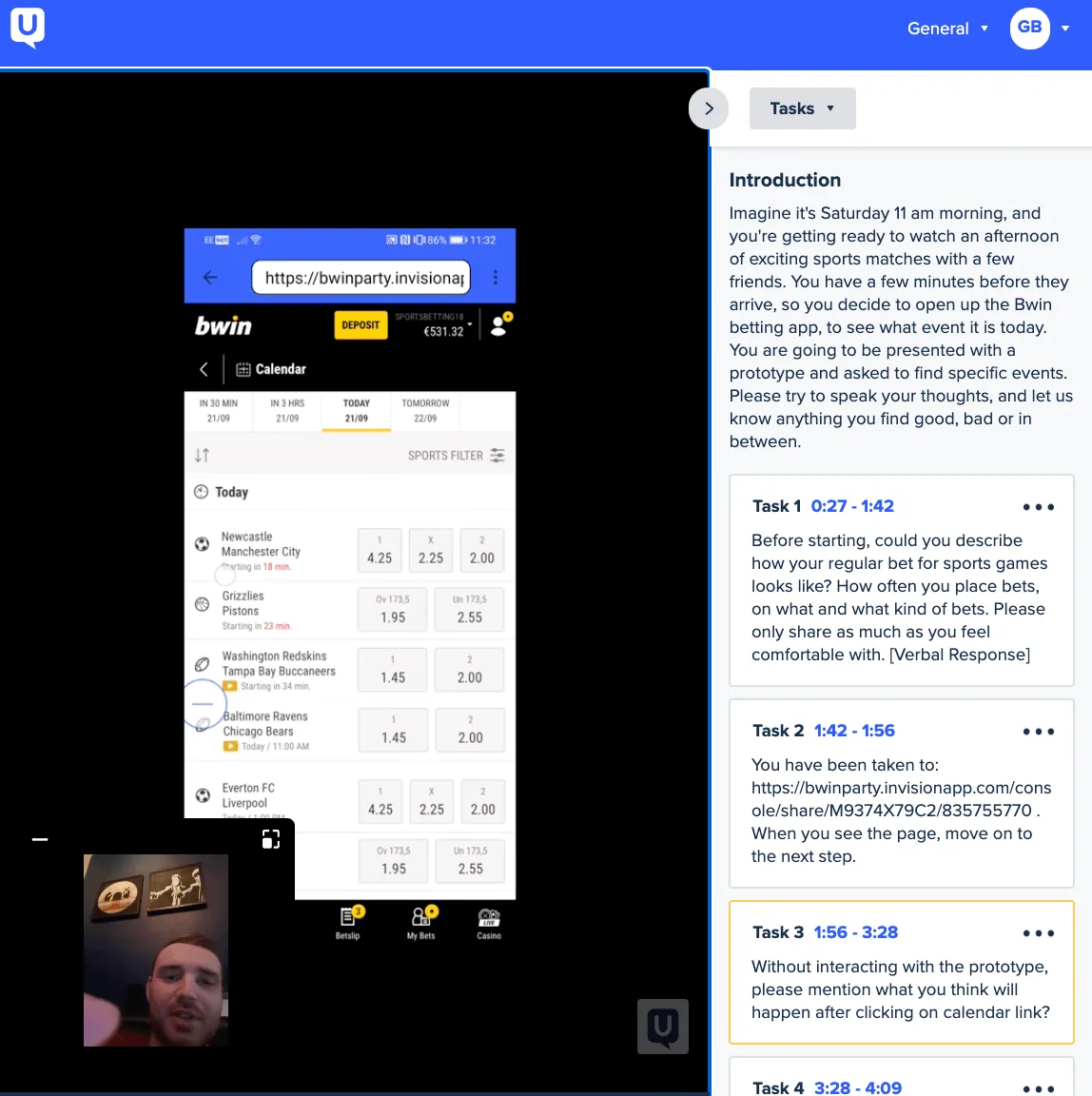
I ran unmoderated tests with 5 users on mobile and desktop. I wanted to see if people could find events in a specific time frame, and how they used filters. A few things needed fixing.
- We saw
On mobile, 3 of 5 couldn't tell how many filters they'd applied.
I changedA chip for each selection, plus a count bubble on the filter button.
- We saw
On desktop, people removed filters one by one with the ✕ on each pill.
I changed"Clear all" next to the pills, not inside the filter panel.
- We saw
People wanted to see markets before committing.
I changedMarkets and odds shown right in the list.
Times and markets, straight away
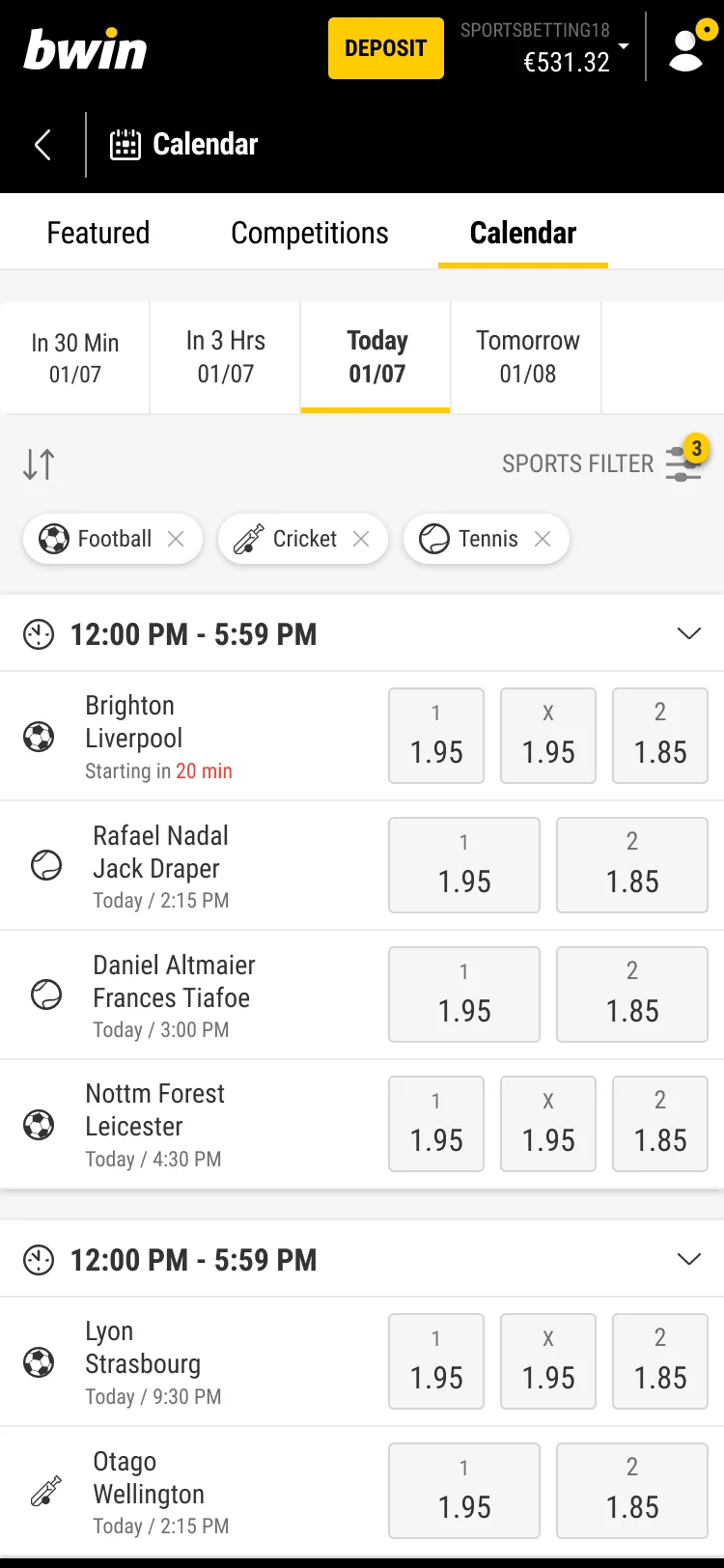
All sports by default, and a sport-specific calendar for people who already know what they want. Same layout on desktop and mobile.
All sports
MobileAll sports
Desktop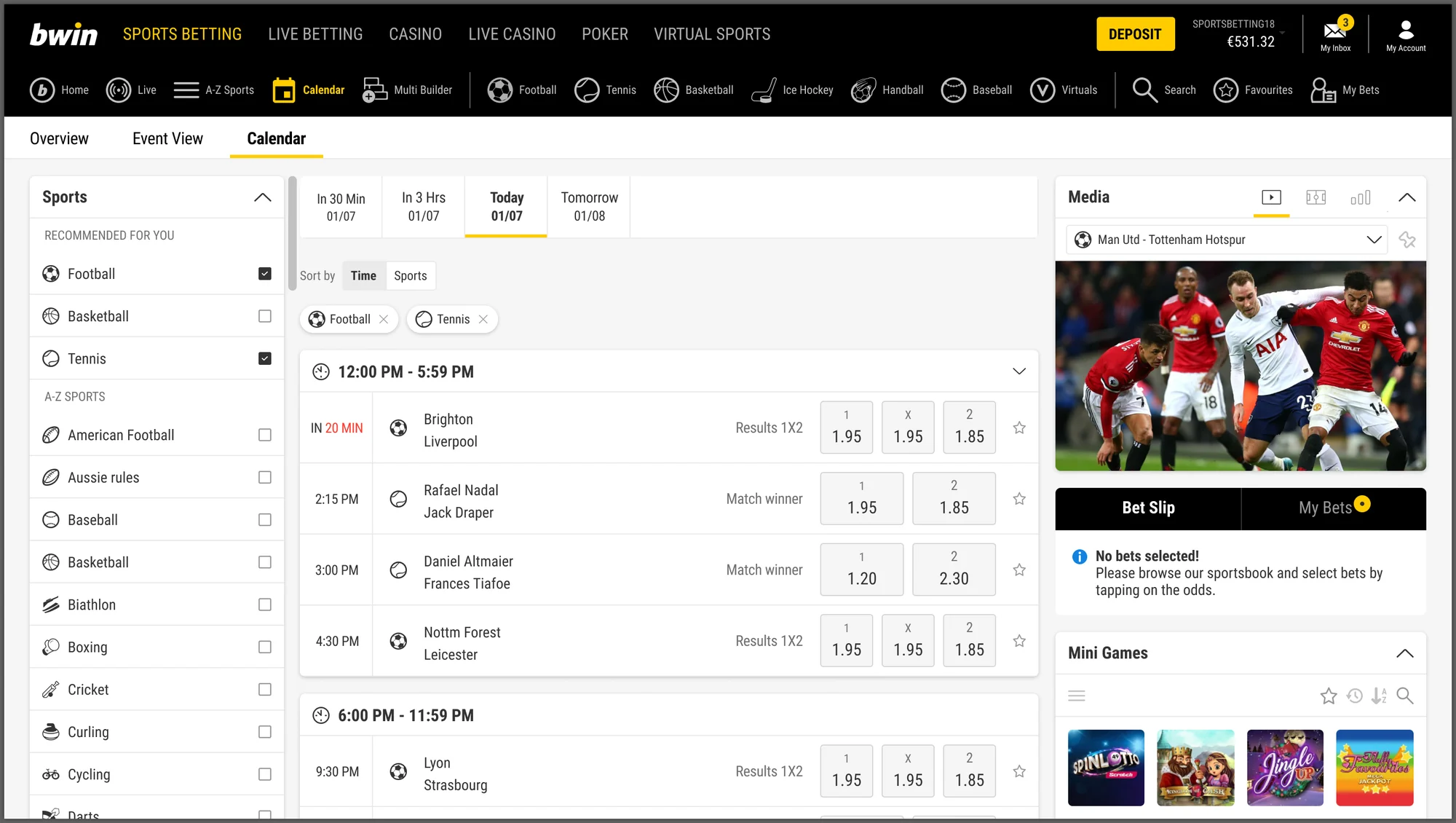
One sport
Mobile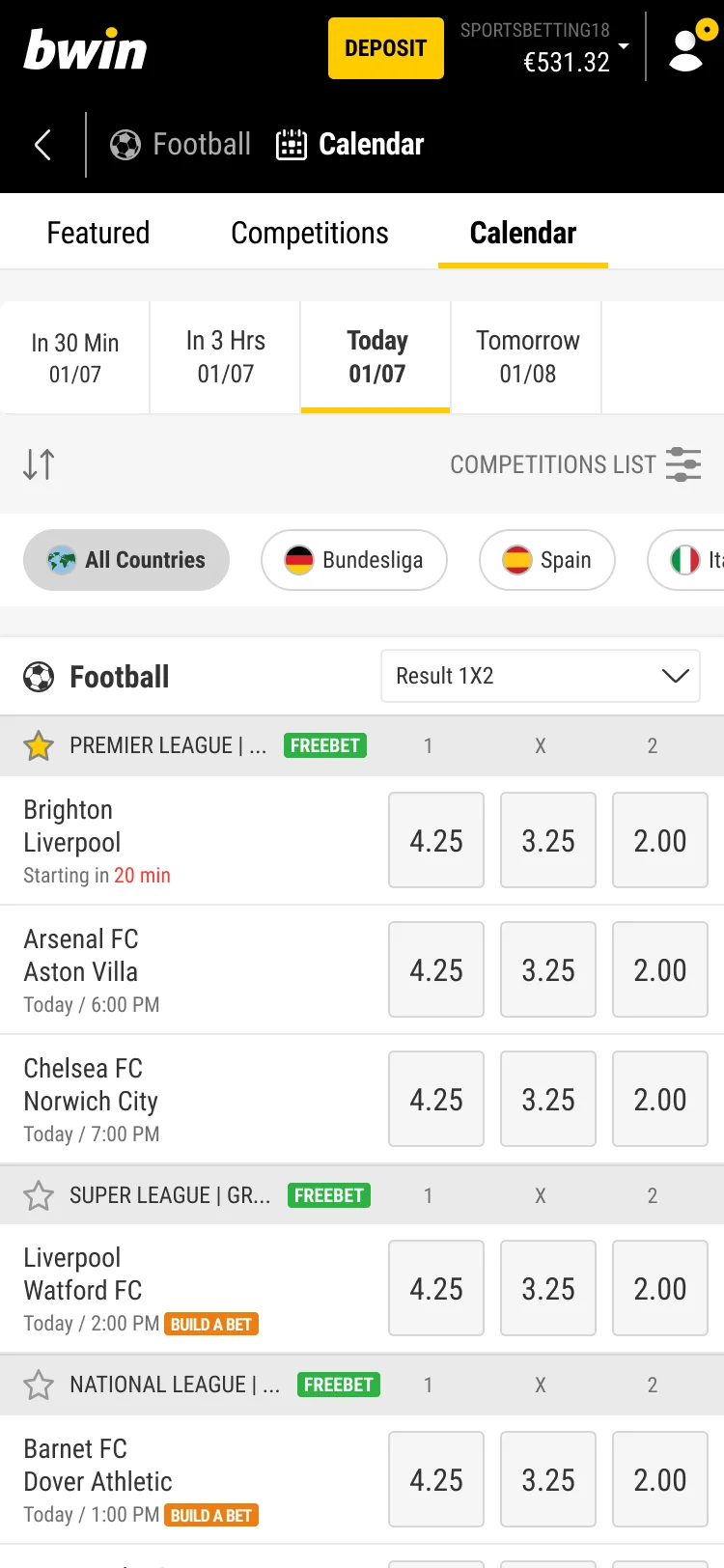
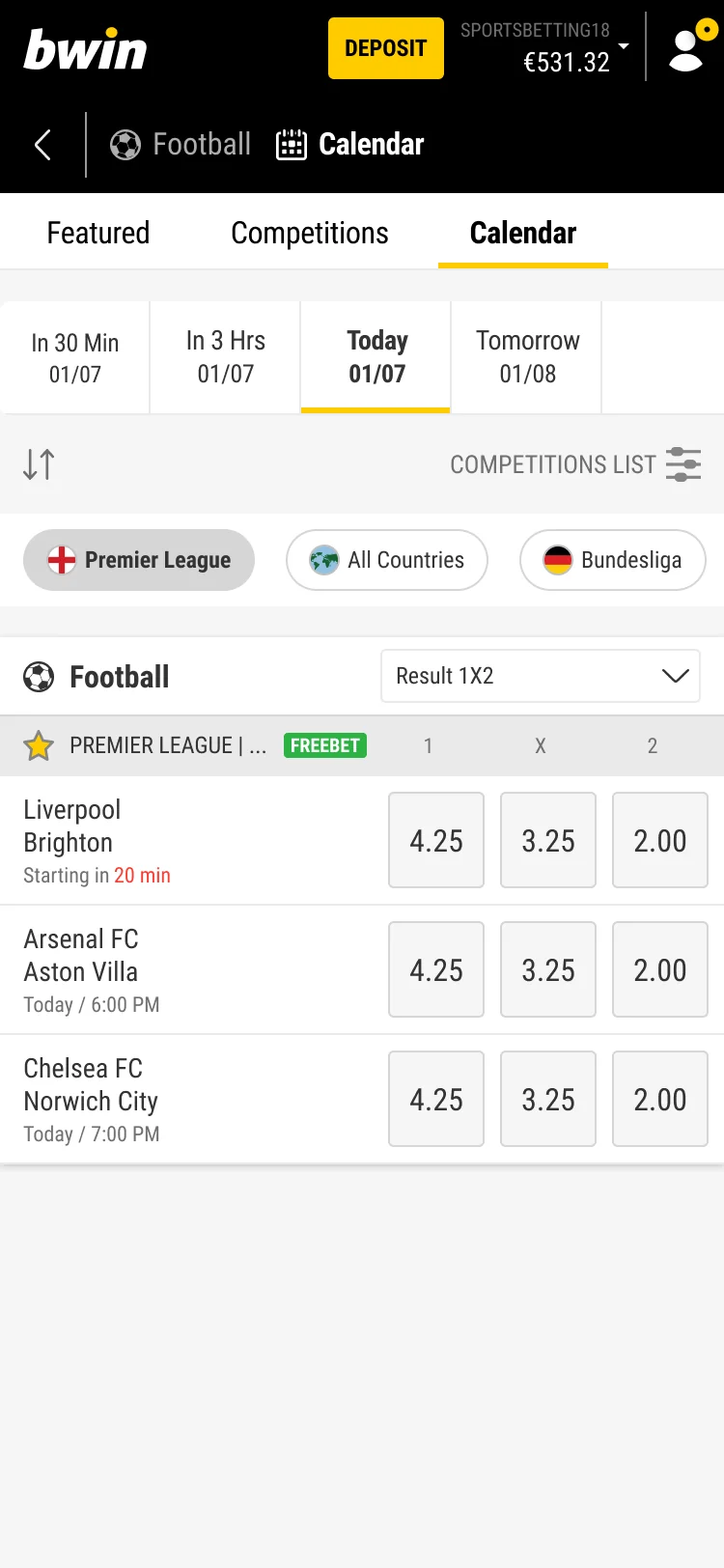
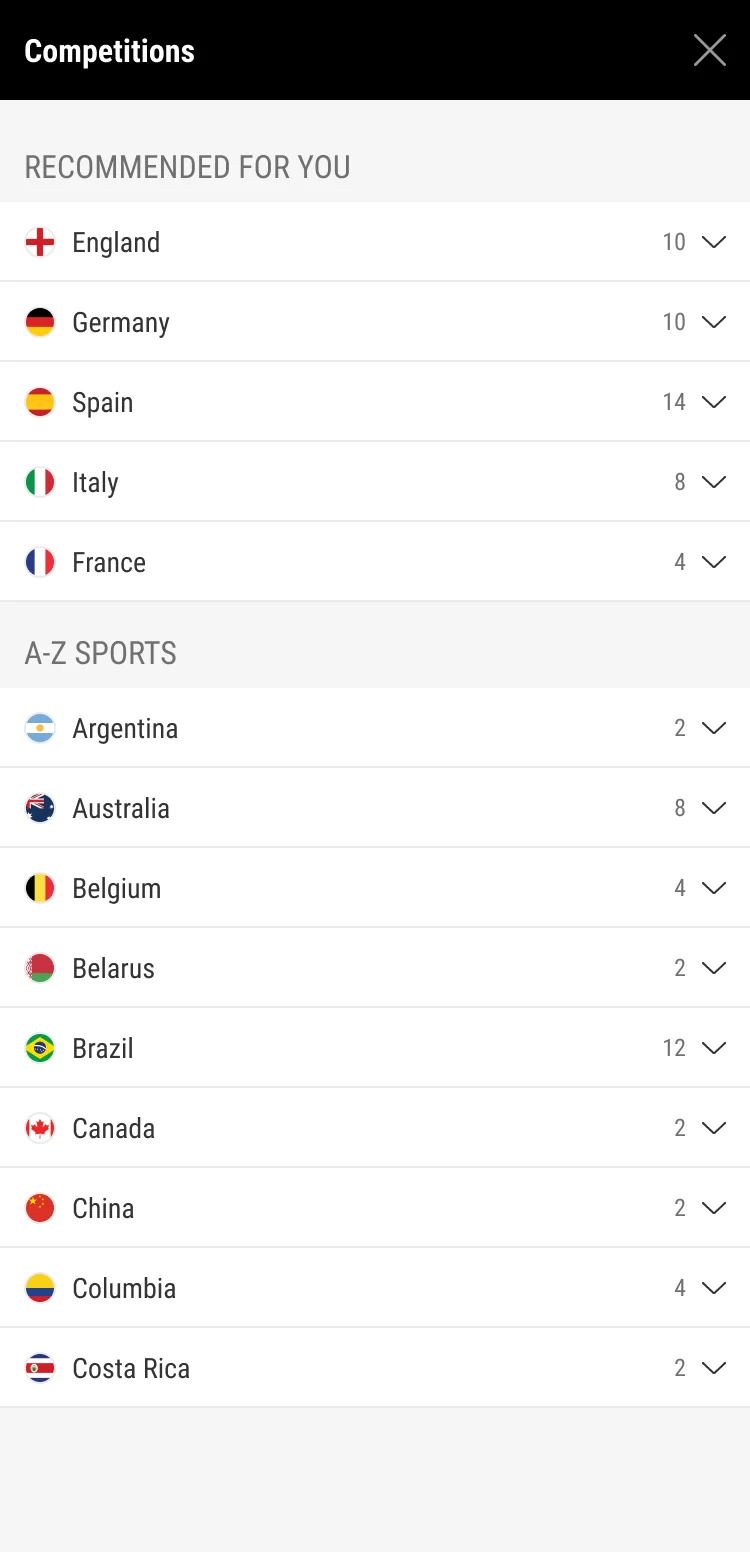
One sport
Desktop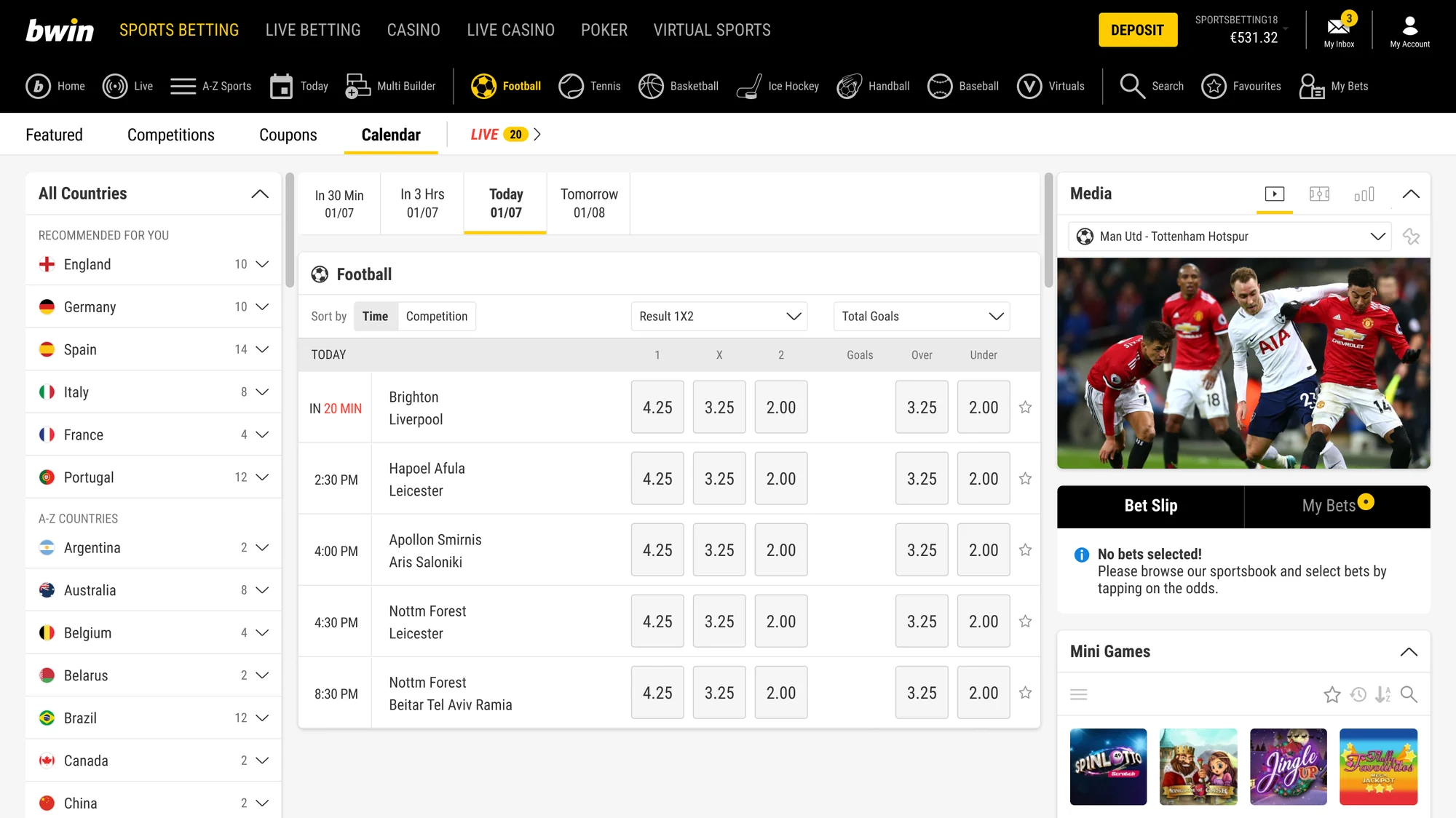
Never go back
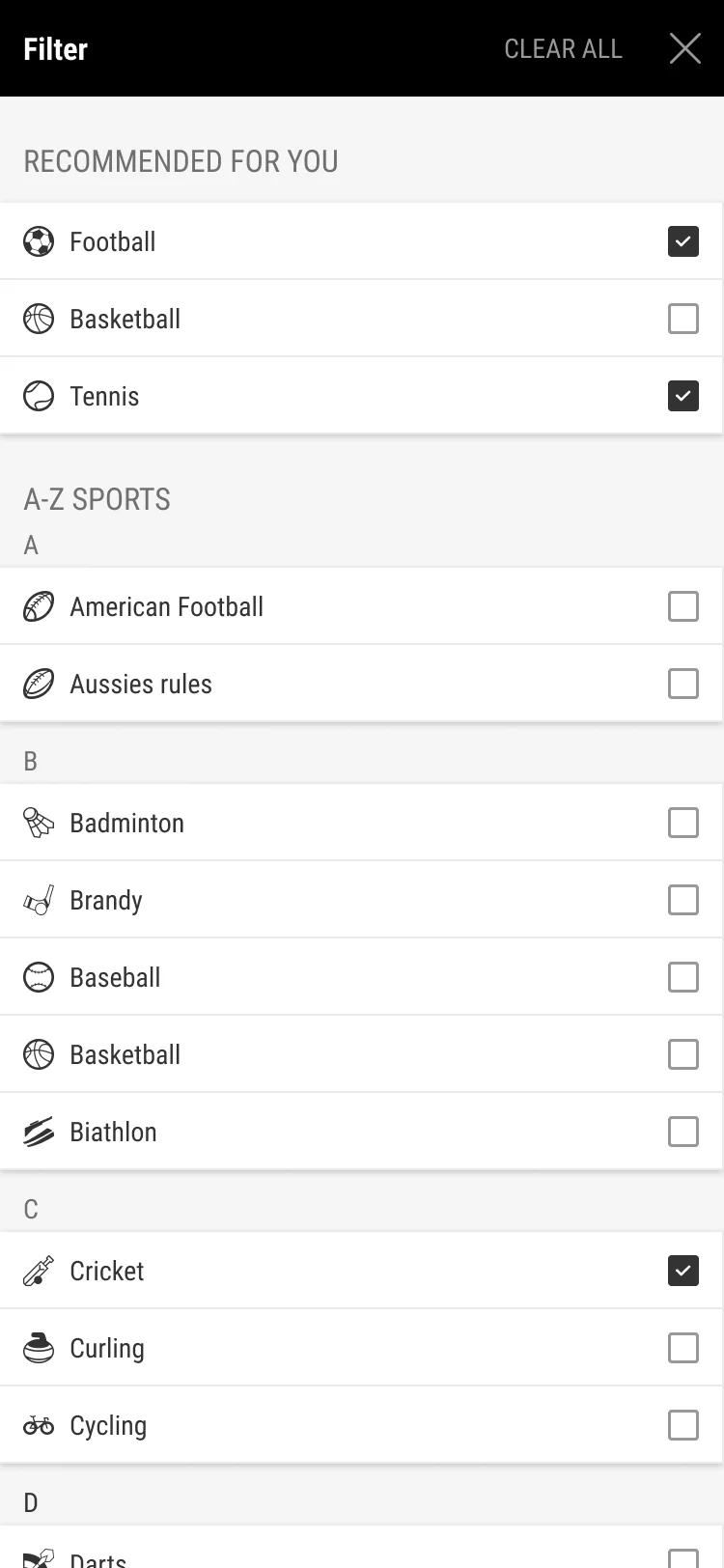
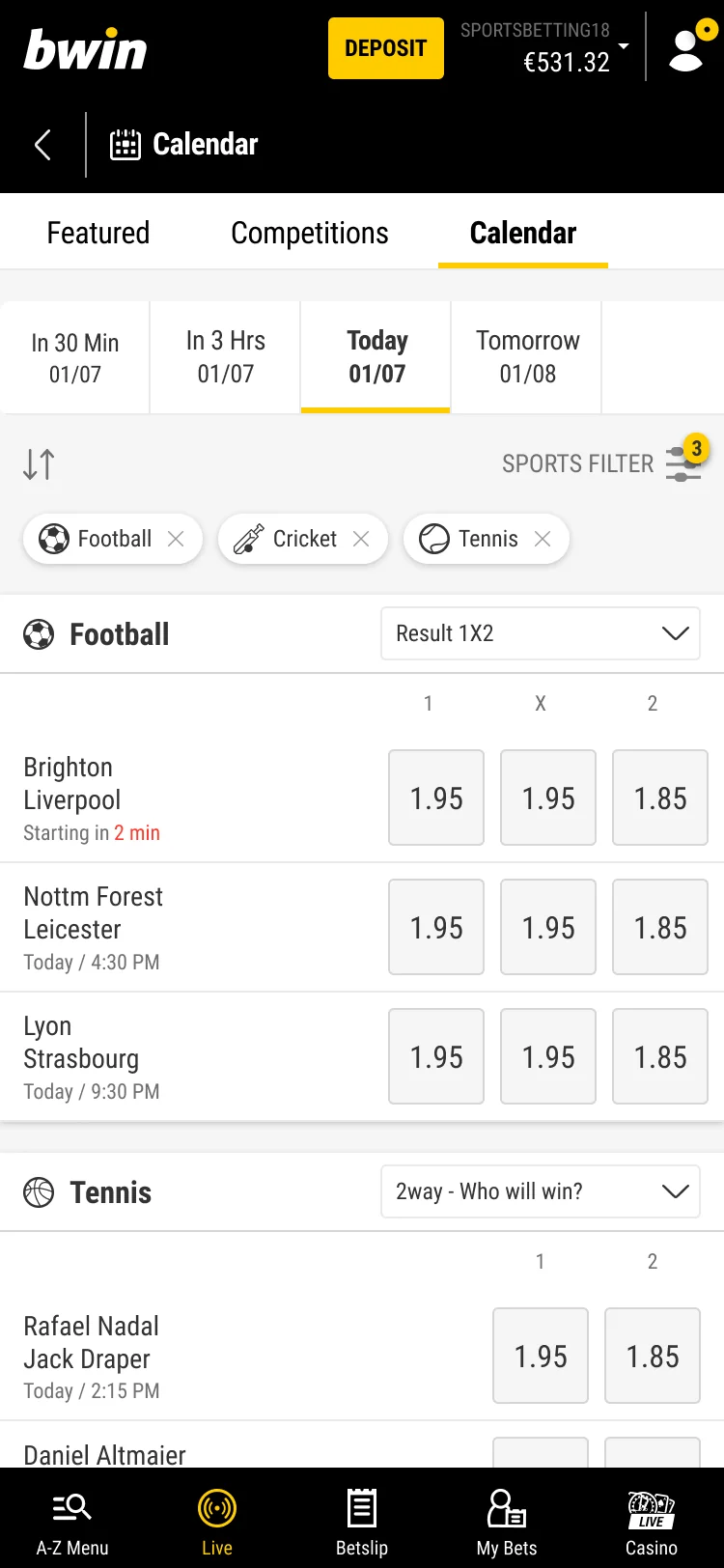
I rebuilt the mobile calendar from my final designs. Switch time frames, change sports in the filter, remove a chip or tap the odds.
- Time frames as tabs, always visible.
- Pick several sports at once in the filter.
- A chip for each sport, and a count on the filter.
- Group by sport, or by time with the arrows.
- Tap the odds to add to the betslip, without opening the match.
What I'd do differently
Challenging the early assumption that “all sports” and “sport-specific” needed completely different experiences showed there was a bigger opportunity in time-based betting.
Involving developers earlier would have helped validate technical feasibility and timelines.
It would also be useful to gather real usage metrics on the two calendar flavours and to check whether people get confused by having both. If they do, we could make the two pages visually more distinct at a glance.
Dutch learning app
Read case study